
How to Conduct a Real-World Counter-Surveillance Sweep That Actually Finds Hidden Devices
Counter-surveillance is often misunderstood. Many people imagine a dramatic gadget that instantly reveals every hidden camera, spy microphone, and GPS tracker in the area. In reality, effective detection is rarely about a single tool. It is a process. Professional sweeps work because they combine physical inspection , environmental awareness, wireless signal analysis, and careful response procedures.
That distinction matters. A poorly executed search can miss the actual threat, create false confidence, or even destroy evidence. By contrast, a structured approach can help homeowners, office managers, vehicle owners, and short-term rental guests identify suspicious devices while reducing false alarms caused by normal electronics.
This guide explains how to perform a realistic counter-espionage inspection in environments where covert surveillance devices are most likely to be found. Rather than focusing on sensational scenarios, it addresses what actually happens in the field: cheap Wi-Fi hidden cameras disguised as USB chargers, audio recorders hidden in meeting areas, Bluetooth beacons or GPS trackers attached to vehicles, and everyday electronics that look suspicious but are completely legitimate.
The goal is not to turn every reader into a technical surveillance counter-measures specialist. The goal is to give you a robust and practical framework: how to think, where to look, what tools help, what their limits are, and how to respond without compromising safety or evidence.
If you want a method that works better than randomly waving a detector around a room, start here.
Why Counter-Surveillance Requires a Method, Not Just a Detector
The biggest mistake in personal counter-surveillance is assuming that any device advertised as a “bug detector” can identify every threat. In practice, hidden surveillance devices use different technologies, and each category leaves different traces.
- Hidden cameras may transmit over Wi-Fi, record only to a microSD card, or remain inactive until motion is detected.
- Covert microphones may be live GSM devices, voice-activated recorders, or hard-wired systems that produce no obvious radio signal.
- GPS trackers may use cellular data, SMS, Bluetooth, or passive onboard memory.
- Unauthorized wireless devices may blend into legitimate networks or appear only intermittently.
That means no single detection method is enough. A radio-frequency sweep may reveal one transmitting bug but miss an offline camera. Lens finders can help locate reflective optics but will not detect a tracker hidden under a vehicle. A smartphone can identify some network anomalies but cannot replace deliberate physical inspection.
Professional counter-surveillance therefore works in layers:
- Risk assessment: identify realistic threat scenarios.
- Physical search: examine likely concealment points.
- Signal detection: check for active wireless transmissions.
- Network analysis: inspect Wi-Fi, Bluetooth, and connected devices.
- Verification: separate suspicious indicators from normal electronics.
- Evidence-safe response: document findings without contamination.
This layered model is what makes a sweep reliable. It is also what helps avoid the two extremes that cause most failures: panic and complacency.
Start With Threat Modeling Before You Search
Before touching any equipment, define what you are actually trying to detect. Good counter-surveillance starts with a threat model, because the likely device depends on the setting, the suspected actor, and the objective of the surveillance.
In a home environment
Residential privacy violations commonly involve low-cost hidden cameras, disguised chargers, smart clocks, smoke detectors, or voice recorders placed in shared spaces. The threat may come from a landlord, a roommate, an ex-partner, a contractor, or an unauthorized guest. In these cases, devices are often chosen for convenience and concealment rather than technical sophistication.
In an office or meeting room
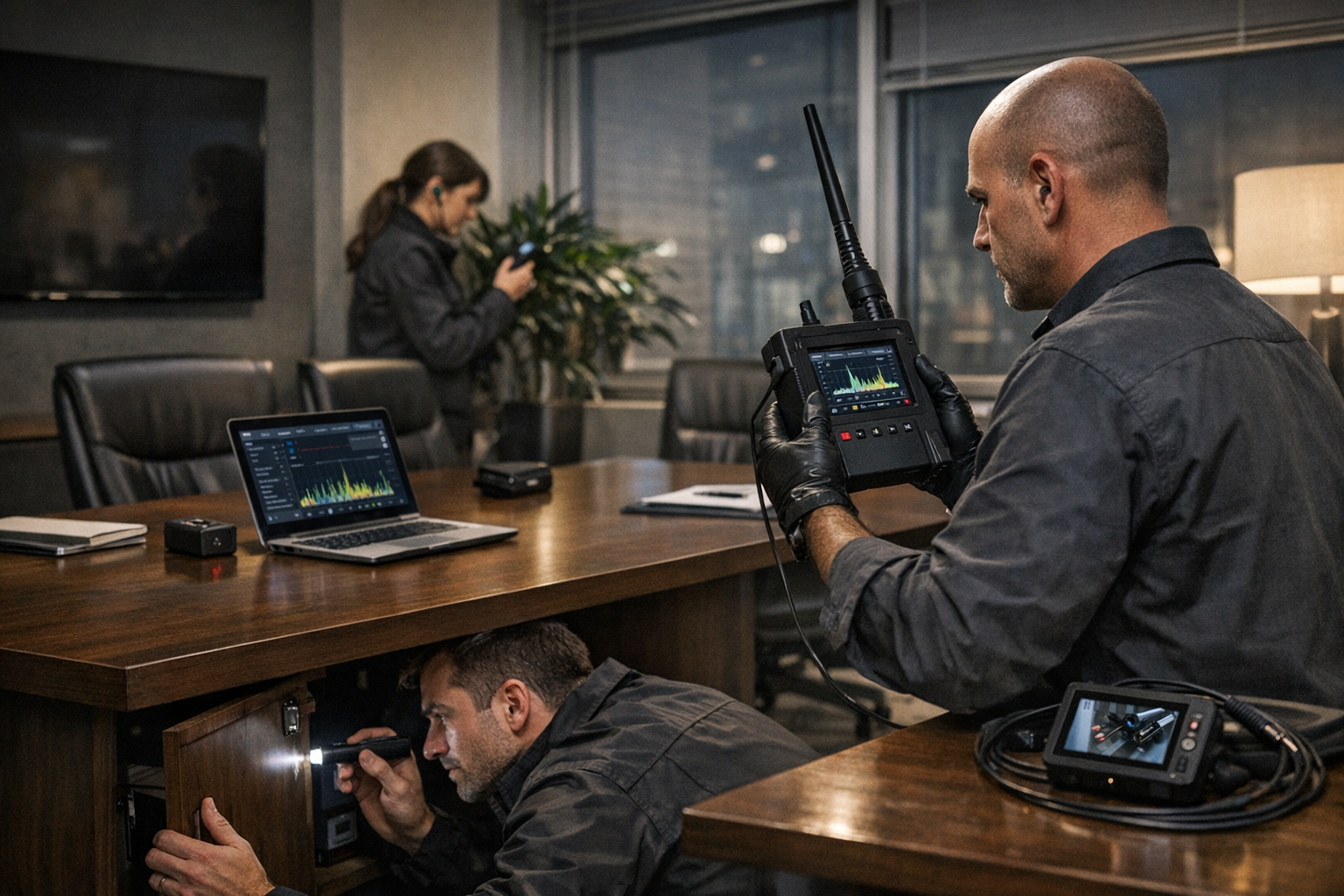
Corporate environments present a different risk profile. Surveillance may target conversations, printed documents, screens, strategic planning sessions, or executive movement. Audio capture becomes more important, and a device may be hidden inside power strips, conference hardware, decorative objects, HVAC elements, or cable management zones. The surveillance objective here is often information extraction, not voyeurism.
In vehicles
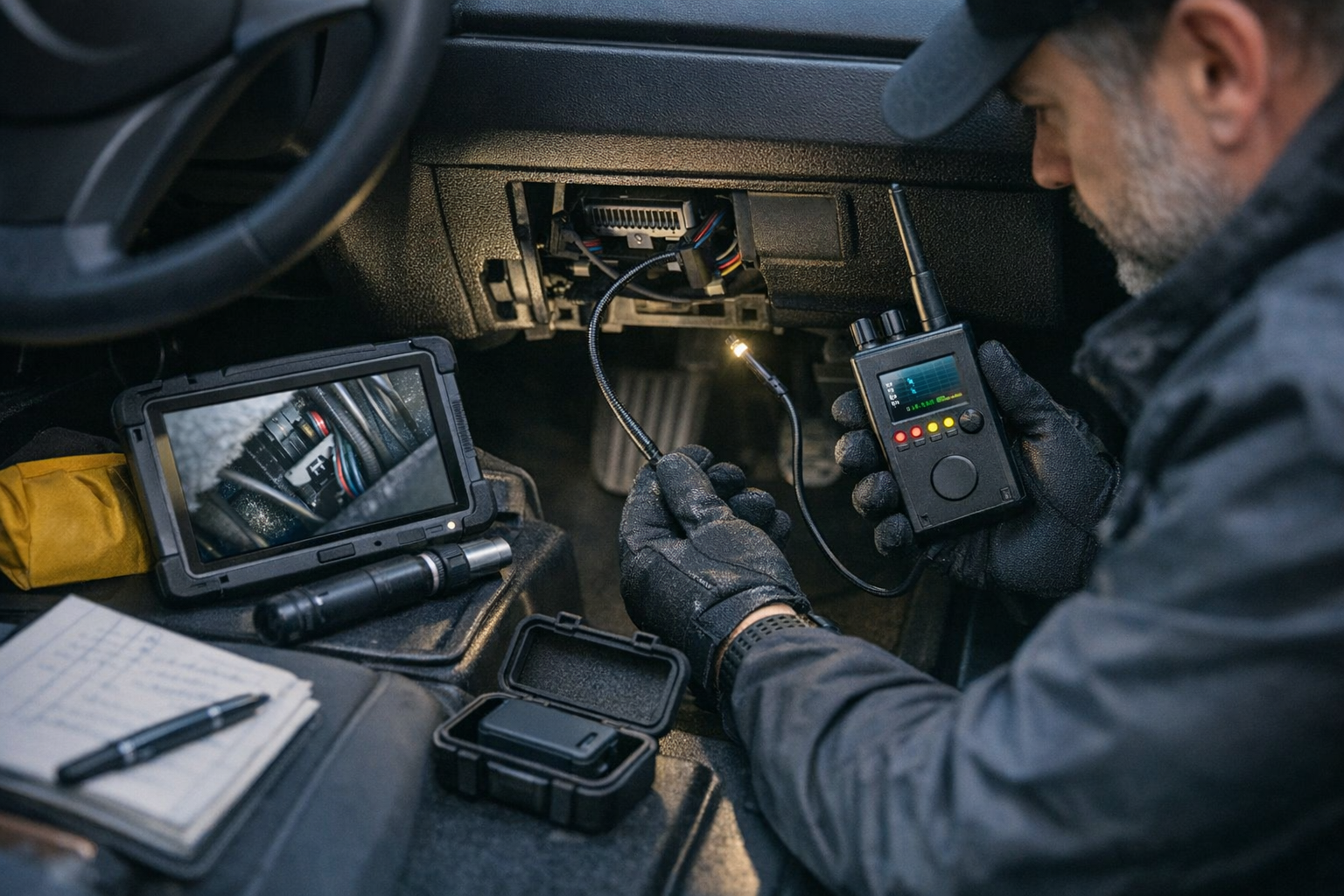
Vehicle-related surveillance frequently involves GPS trackers, Bluetooth tags, battery-powered transmitters, or devices connected to the OBD-II port. Threat actors may include controlling partners, private investigators operating within or beyond legal limits, debt recovery agents in some jurisdictions, or thieves preparing a theft. In this scenario, the inspection must focus on both the exterior and interior of the vehicle.
In hotels and short-term rentals
Short-term accommodation combines high turnover with low trust. Small covert cameras are more likely than complex listening systems, and they are often positioned to monitor beds, desks, changing areas, or entrances. Power availability and viewing angle drive placement. You are less likely to face a custom installation and more likely to encounter a mass-market surveillance gadget.
When you define the likely objective, you can search more intelligently. Ask:
- Is the suspected goal video capture, audio collection, or location tracking?
- Does the actor likely have repeated access to the area?
- Would they prefer a live feed or a recorder they retrieve later?
- Would they rely on mains power, battery power, or a vehicle power source?
- Would they choose a cheap consumer gadget or a more advanced device?
These questions narrow the search dramatically.
Understand the Main Device Categories You Are Trying to Detect
A practical sweep becomes easier when you know how common covert devices actually operate.
Hidden cameras
A covert camera needs three things: a viewing angle, enough light or night-vision capability, and either storage or transmission. Because of that, most hidden cameras are placed where they can observe a target area while maintaining access to power or battery efficiency. Common disguises include:
- USB chargers and adapter blocks
- Alarm clocks and digital clocks
- Smoke detectors
- Desk accessories
- Air fresheners
- Picture frames
- Small wall hooks or decorative objects
Some are Wi-Fi enabled and discoverable through network inspection. Others record only to onboard storage and emit little or no RF signal during normal operation. That is why a visual search remains essential.
Spy microphones and audio recorders
Covert microphones vary widely. A live audio bug may transmit over GSM, LTE, Wi-Fi, VHF/UHF, or Bluetooth. A simple voice recorder may only store audio locally until recovered later. Audio devices are often smaller and easier to hide than covert cameras because they do not require line-of-sight. Likely locations include meeting tables, under chairs, behind wall décor, inside power strips, and near seating positions where speech is clear.
GPS trackers
Tracking devices are usually deployed on vehicles, bags, or assets. Common forms include magnetic trackers attached to metal surfaces, OBD-connected trackers, battery-powered units in wheel arches or under bumpers, and Bluetooth-based tags hidden inside luggage or cabin trim. Some report location continuously. Others wake only on movement or at intervals to conserve battery.
Each category suggests different inspection priorities and detection tools.
The Best Counter-Surveillance Workflow: Baseline, Search, Verify, Respond
A disciplined sweep follows a repeatable sequence. This matters because jumping straight into detection without context creates noise and confusion.
Step 1: Establish a normal baseline
Before deciding something is suspicious, map what belongs in the environment. Note routers, smart speakers, televisions, printers, cordless phones, baby monitors, wearables, vehicle telematics, Bluetooth accessories, and IoT devices. In modern spaces, legitimate wireless traffic is everywhere. If you do not document what is expected, false positives multiply.
Create a list of:
- Authorized Wi-Fi networks
- Known Bluetooth devices
- Installed electronics and smart devices
- Chargers, adapters, power strips, and extension blocks
- Existing security systems, alarms, and sensors
In a vehicle, baseline the car itself. Many modern cars use embedded telematics, keyless systems, tire pressure sensors, and Bluetooth modules. These can trigger detectors if you do not account for them.
Step 2: Conduct a slow physical inspection
Physical search is often the most productive phase. Move systematically, not randomly. Divide the area into zones and inspect them one at a time. Focus on concealment points that offer:
- Line-of-sight to people or activity areas
- Access to electrical power
- Stable mounting positions
- Acoustic proximity for speech capture
- Easy retrieval by the person who planted the device
In a room, scan from the center outward and then from eye level to higher and lower elevations. Check anything recently added, oddly placed, duplicated, misaligned, or unnecessary.
Step 3: Perform wireless and RF checks
Only after the visual inspection should you move into RF detection and network analysis. This sequence reduces noise because you already know what devices are likely legitimate. Use RF detection to identify active transmissions and network analysis to identify suspicious connected hardware.
Step 4: Verify before acting
Many objects look unusual but are harmless. A strange LED, a small hole, or a wireless identifier is not proof of covert surveillance. Verification requires cross-checking the object’s function, manufacturer markings, wiring, network behavior, and physical design.
Step 5: Preserve evidence and choose the right response
If you find a suspicious device, avoid the instinct to immediately destroy, unplug, or publicize it. Depending on the context, preserving fingerprints, metadata, SIM information, storage media, and installation evidence may matter more than instant removal.
How to Perform a Physical Search That Produces Real Results
Physical inspection is where many hidden devices are actually discovered. A covert camera or recorder has to exist somewhere in real space, and concealment always imposes trade-offs.
Look for placement logic, not just unusual objects
A device is usually placed where it can serve its mission. That means asking practical questions:
- What part of the room would someone want to see?
- Where would speech be most intelligible?
- What object could stay in place without attracting attention?
- Where is power available?
This mindset is more effective than simply searching for “spy gadgets.” For example, a charger facing the bed in a rental property is more concerning than a charger behind a sofa with no useful line-of-sight.
Check high-probability concealment points
In rooms, inspect:
- Smoke detectors and alarm housings
- USB chargers and travel adapters
- Digital clocks and desk clocks
- TV units and entertainment centers
- Power strips and extension blocks
- Picture frames and decorative objects
- Air vents and HVAC grilles
- Bookshelves and shelf ornaments
- Mirrors where privacy concerns are elevated
- Ceiling corners overlooking beds, desks, or meeting tables
In offices, also examine conference-room equipment, presentation devices, speakerphones, docking stations, and any object placed unusually close to seating or whiteboards.
Use lighting properly
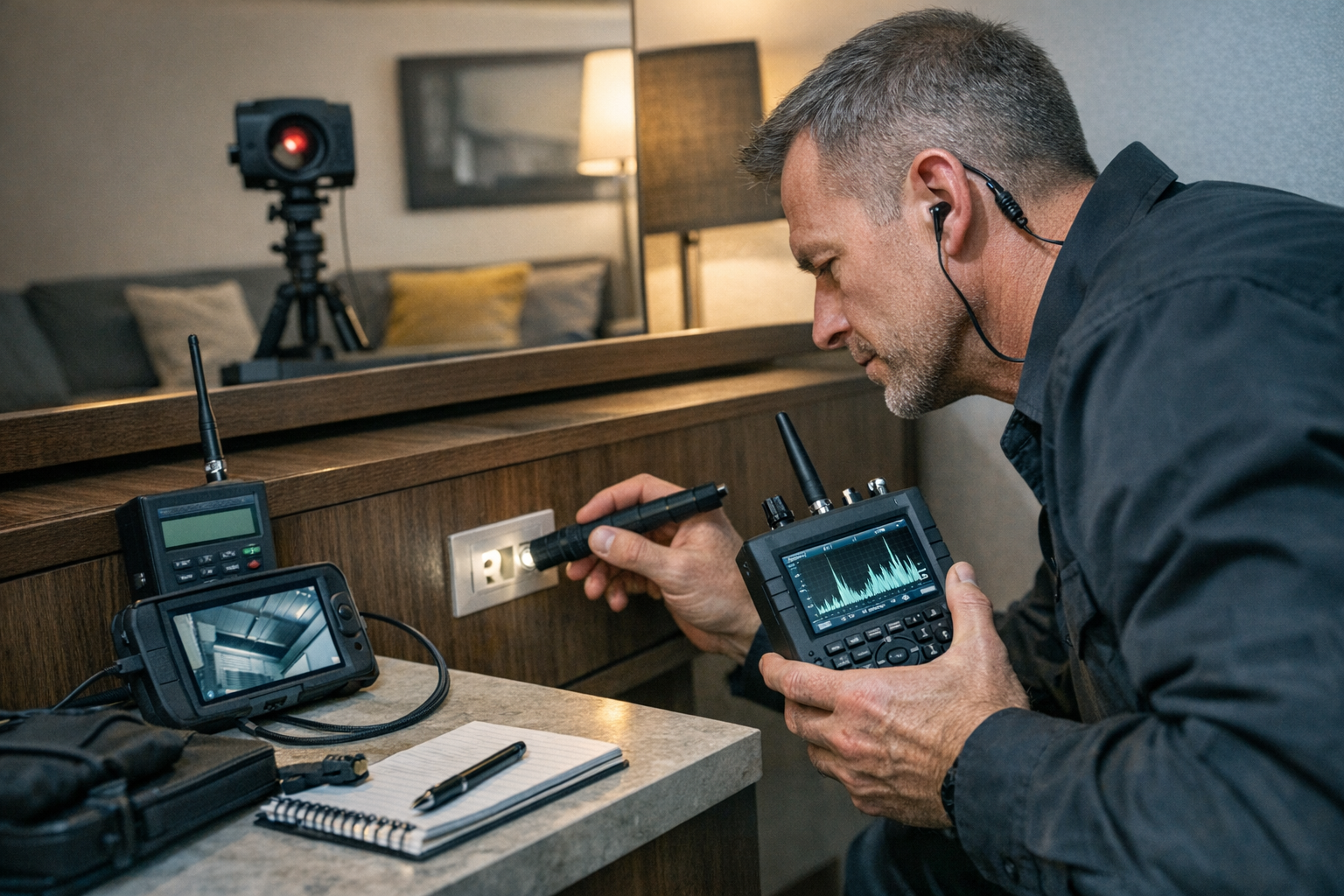
A bright directional flashlight helps reveal lens reflections, pinholes, gloss inconsistencies, and seams where an enclosure may have been modified. Sweep light at different angles rather than illuminating straight on. Tiny camera lenses often reflect in a way that differs from plastic casing.
Pay attention to indicators of tampering
Signs that deserve closer inspection include:
- Fresh adhesive or magnetic mounting
- Drilled openings or irregular pinholes
- Objects warmer than expected
- Unexplained wiring
- Devices with no clear function
- Duplicate items where only one makes sense
- Positioning that seems optimized for viewing or listening
Not every anomaly is malicious, but clusters of anomalies are meaningful.
How to Detect Hidden Cameras More Reliably
Video surveillance devices leave a different signature from audio bugs or trackers. To detect them effectively, combine optical reasoning, physical inspection, and digital checks.
Identify likely camera sight lines
A hidden camera is constrained by geometry. It must face an area worth recording. If you stand in the room and ask “where would a camera need to be to capture me clearly?” you immediately reduce the number of places to inspect. Focus on devices facing:
- Beds
- Desks
- Doorways
- Sofas or seating areas
- Changing areas
- Meeting tables
If an object faces away from useful activity, it is less likely to contain a covert lens.
Use a lens-finder carefully
Dedicated lens finders can help identify reflective camera optics, especially in low light. However, they are not magic tools. Reflective screws, glossy surfaces, and decorative finishes can produce false hits. Use them as a secondary confirmation method after you identify suspicious objects physically.
Check network-connected devices
Many modern covert cameras connect via Wi-Fi. Reviewing the router’s connected-device list, using a trusted network scanner, or checking for unfamiliar MAC addresses can expose a hidden IP camera. Be aware, however, that device names are often generic or intentionally vague. A suspicious device may appear as an unknown module, a generic chipset vendor, or a simple alphanumeric identifier.
Look for indicators such as:
- Unknown devices appearing repeatedly on the local network
- Hardware vendors associated with IP cameras or IoT modules
- New devices active only when someone is present
- Unexpected access points or hotspots
This method is especially useful in homes and offices where you control the network. It is less reliable in hotels or rentals where you may not have router access.
Do not assume infrared means spyware
Some people use smartphone cameras to look for infrared LEDs in dark rooms. This can sometimes reveal night-vision emitters, but many legitimate devices also emit infrared, and many hidden cameras use low-glow or no-glow approaches, or simply record in ambient light. It is one clue, not proof.
How to Detect Covert Microphones and Audio Recorders
Audio surveillance is often harder to identify than hidden video because microphones do not require a visible line-of-sight. A recorder can be hidden inside almost any object placed close enough to capture speech intelligibly.
Focus on speech zones
Audio devices are usually placed where conversation is concentrated. In a living space, that may be the coffee table, shelf near a sofa, or bedside area. In an office, it is often the meeting table, the underside of a conference desk, a power strip near seating, or an object at ear level in the room.
Listen for what should not be there
Some recording and transmission devices produce faint artifacts: relay clicks, low-level buzzing, digital interference near speakers, or status tones. This is not common enough to be your primary method, but in quiet environments it can help narrow attention.
Use RF detection with realistic expectations
An active GSM or RF bug may be detectable with a quality RF detector, especially when it transmits bursts or remains connected to a network. But many audio recorders only store data locally and emit nothing meaningful during recording. This is why physical inspection remains central.
Inspect everyday objects with hidden cavities
Small audio devices are often concealed inside:
- Power adapters
- Extension leads
- Desk ornaments
- Battery compartments
- Tissue boxes or decorative containers
- Under-table mounts
- Unused wall modules
Weight, heat, extra seams, unexplained openings, or strange internal movement can all justify closer examination.
How to Find GPS Trackers and Bluetooth Tags on Vehicles
Vehicle sweeps are one of the most requested forms of counter-surveillance, and for good reason. Tracking devices are widely available, inexpensive, and easy to conceal. A proper inspection is not just a quick glance under the bumper.
Know the main tracker types
Vehicle tracking devices generally fall into four groups:
- Magnetic battery-powered trackers attached underneath the vehicle
- OBD-II trackers plugged into the onboard diagnostics port
- Hard-wired trackers connected to vehicle power
- Bluetooth tags hidden inside the cabin or belongings
Each type affects where and how you search.
Check the obvious locations first
Start with easy access areas:
- OBD-II port under the dashboard
- Glove compartment and center console
- Trunk or cargo area side panels
- Under seats
- Spare wheel compartment
- Door pockets and seatback compartments
Then inspect the vehicle exterior, ideally with proper lighting and safe lifting or professional access if needed.
Inspect common exterior mounting points
Magnetic trackers are often attached to metal surfaces where they remain hidden from casual view yet retain reasonable sky exposure and cellular signal. Common locations include:
- Inside wheel arches
- Behind bumpers
- Along chassis rails
- Near the fuel tank shield
- Under the trunk floor area
- Inside plastic underbody covers if accessible
Use gloves and a bright light. Feel for unnatural boxes, magnets, taped enclosures, or recently attached housings. Be methodical and prioritize safety.
Remember that not all trackers are cellular
Bluetooth tags may not show up on an RF detector in the same way as a GSM tracker. They may instead be detectable through smartphone alerts, Bluetooth scanning, or ecosystem-specific anti-stalking features. If you suspect personal stalking, check your mobile device for unknown tag notifications and review platform-specific detection options.
Using RF Detectors Correctly: Strengths, Limits, and False Positives
RF detectors are useful tools, but they are also one of the most misunderstood parts of counter-surveillance. In dense modern environments, they can alert on everything from Wi-Fi routers to wireless mice and car key systems.
What RF detectors do well
A good RF detector can help identify active transmitters, including some:
- Wi-Fi covert cameras
- GSM audio bugs
- Cellular GPS trackers during transmission
- Bluetooth devices
- Wireless video senders
They are especially useful when a suspicious device is actively communicating.
What RF detectors do poorly
They are much less effective against:
- Devices that are powered off
- Recorders that store locally only
- Intermittent transmitters that wake rarely
- Environments saturated with legitimate signals
This is why sweeping at the wrong time can miss a real device entirely.
How to reduce false positives
To make RF detection more meaningful:
- Turn off or isolate known wireless devices if possible
- Sweep slowly and zone by zone
- Compare readings with and without known equipment active
- Watch for signal peaks tied to a physical object
- Repeat the sweep at different times
An RF detector is most valuable when used comparatively, not theatrically. The goal is not “beeping equals bug.” The goal is identifying an unexpected transmission source and then locating the physical origin.
Why Wireless Baseline Mapping Is a Powerful Counter-Surveillance Technique
One of the most practical modern methods in homes and offices is wireless baseline mapping. Instead of asking only “is there a signal?”, ask “which signals belong here, and which do not?”
Map Wi-Fi environment over time
List the SSIDs normally present, signal strengths in different rooms, and the known devices connected to your router. Unexpected new access points, hidden SSIDs, or repeaters appearing near sensitive areas deserve attention. Not every new network is hostile, especially in apartment buildings, but unusual proximity patterns can help localize a threat.
Review Bluetooth environment
Bluetooth beacons, wearables, speakers, keyboards, vehicle systems, and tags create background noise. Establishing what is normally visible makes it easier to notice unknown devices that persist in a room, vehicle, or bag.
Use change detection, not one-time snapshots
The most useful observations often come from what changes. For example:
- An unknown device appears only when a meeting begins
- A new Bluetooth identifier is always present in a specific vehicle
- An unknown Wi-Fi client reconnects every evening
- A hidden access point becomes visible only in one room
This pattern-based approach is more actionable than one-off scans with no context.
Counter-Surveillance in Short-Term Rentals and Hotels
Travel environments require a fast, pragmatic sweep. You may not have full network access, you may not want to dismantle fixtures, and time matters.
Prioritize vulnerable zones
In a hotel or rental, focus first on:
- Bed area
- Desk or work area
- Facing shelves and media units
- Smoke detectors and wall-mounted devices
- Chargers, clocks, and adapters near private spaces
- Bathroom-adjacent areas where legally and ethically appropriate to inspect visible fixtures
Look for objects with no clear operational purpose, particularly those aimed at places where privacy expectations are highest.
Use practical screening steps
A realistic travel sweep can include:
- Visual scan with a flashlight
- Checking mirrors and obvious fixture modifications
- Inspecting chargers, clocks, and alarm devices
- Scanning available Wi-Fi environment for suspicious camera-like devices if you have access
- Covering suspicious objects temporarily while seeking management or law-enforcement support
If something appears clearly suspicious, document it before touching it. Take photos showing context, position, and close-up details.
Counter-Surveillance in Offices and Sensitive Meetings
Office environments require a more disciplined standard because confidentiality risks may involve trade secrets, legal strategy, executive privacy, or insider threats.
Control the room before the meeting
Before sensitive discussions:
- Inspect the room setup
- Remove unnecessary electronics
- Confirm who placed conference hardware
- Check under tables and seating areas
- Review visible power and cable paths
Temporary rooms are higher risk than permanently controlled secure spaces.
Be careful with gifts, samples, and temporary equipment
Demonstration products, promotional items, loaner hardware, charging hubs, and temporary power devices can all introduce surveillance opportunities. In corporate counter-surveillance, “unexpected object provenance” is a major red flag.
Use procedural controls alongside technical checks
Sometimes the best defense is not a better detector but better operational security:
- Ban non-essential electronics from high-value meetings
- Use controlled storage for phones and wearables
- Restrict room access before and after use
- Document who sets up AV equipment
- Rotate meeting spaces for highly sensitive discussions
Counter-surveillance is as much about process discipline as technology.
What To Do If You Find a Suspicious Device
Finding a possible hidden camera, listening device, or tracker is the point where many people make costly mistakes. Your response should balance privacy, safety, legal considerations, and evidence preservation.
Do not immediately destroy or discard it
It may contain fingerprints, serial numbers, SIM cards, storage media, connection logs, or installation evidence. If the matter may lead to a police report, internal investigation, litigation, or protective action, destroying the device can undermine your case.
Document first
Take clear photographs of:
- The object in place
- The surrounding area
- Any cables, power sources, or mounting methods
- Visible labels, ports, or serial markings
Record the date, time, location, and who found it.
Consider the risk of alerting the installer
Disconnecting a device may notify the person monitoring it. In some cases, especially stalking or domestic abuse cases, that can increase risk. If personal safety is a concern, prioritize leaving the location safely and contacting the appropriate authorities or support resources.
Escalate appropriately
The correct next step depends on context:
- Home or rental privacy violation: contact law enforcement and preserve the scene
- Workplace espionage concern: notify internal security, legal counsel, or executive protection channels
- Vehicle tracker with safety concerns: coordinate with police or a qualified professional if stalking is suspected
- Hotel or rental discovery: document, secure your immediate privacy, and escalate to management and authorities
If you are unsure, seeking legal advice is often wiser than improvising.
Common Counter-Surveillance Mistakes to Avoid
Even motivated people can undermine their own sweep by following misleading assumptions.
Mistake 1: Relying on one gadget
No detector can reliably find every hidden surveillance device in every state of operation. Tools support the process; they do not replace it.
Mistake 2: Ignoring ordinary object logic
If an item does not belong, appears duplicated, or is placed for a perfect viewing angle, that matters. Over-focusing on high-tech detection can cause people to miss the obvious.
Mistake 3: Confusing signal presence with proof
Wireless-rich environments generate countless alerts. A signal is an indicator, not a conclusion.
Mistake 4: Sweeping too quickly
Counter-surveillance rewards patience. Rushed checks miss subtle concealment and fail to establish a useful baseline.
Mistake 5: Failing to document findings
If a situation becomes legal or criminal, memory is not enough. Documentation is part of the sweep.
Mistake 6: Overlooking intermittent devices
Some trackers and bugs transmit only occasionally. A one-time negative scan is not always conclusive.
When a Professional TSCM Sweep Is the Better Option
There are situations where a self-guided inspection is useful, and others where a professional Technical Surveillance Counter-Measures service is the right move.
Consider professional support when:
- You face a credible corporate espionage risk
- The environment is large or technically complex
- You suspect hard-wired or infrastructure-level surveillance
- You need an evidentiary-quality process
- Personal safety is a concern
- Previous self-checks produced ambiguous results
Professionals bring advanced spectrum analysis, non-linear junction detection, thermal methods, forensic handling, and experienced judgment. Just as importantly, they know how to distinguish normal electronic behavior from actual surveillance indicators.
That said, a structured self-sweep remains extremely valuable for routine privacy checks, travel security, rental inspections, and early anomaly detection.
Build a Sustainable Counter-Surveillance Routine
The most effective privacy protection is not a single dramatic inspection but a repeatable habit. In homes, offices, and vehicles, many threats become easier to spot when you know your environment well.
At home
- Review newly introduced devices
- Maintain a list of authorized smart hardware
- Inspect rooms after contractors, guests, or disputes involving access
- Change network credentials when occupancy changes
At work
- Control room access for sensitive spaces
- Inventory meeting-room electronics
- Verify power strips, adapters, and AV gear periodically
- Train staff to report unexplained devices or layout changes
For vehicles
- Check the OBD port regularly
- Inspect wheel arches and underbody visually when practical
- Review anti-stalking notifications on smartphones
- Pay attention to unexplained battery drain or foreign devices in the cabin
Good counter-surveillance is really about reducing surprise. The more stable and documented your environment is, the easier it becomes to detect what does not belong.
Conclusion
Effective counter-surveillance is not about fear, gimmicks, or cinematic bug sweeps. It is about method. The most reliable way to detect hidden cameras, covert microphones, and unauthorized GPS trackers is to combine threat modeling, physical inspection, wireless baseline mapping, RF checks, and evidence-safe response procedures.
That approach works because covert devices must still obey physical and technical realities. Cameras need a view. Microphones need acoustic access. Trackers need placement, power, and a way to report location. When you understand those constraints, the environment becomes easier to read.
For a homeowner, this means looking beyond flashy detectors and learning how to search a room intelligently. For a traveler, it means prioritizing high-risk objects in rentals and hotel rooms. For an office, it means combining technical checks with disciplined operational security. For a vehicle owner, it means knowing where trackers are most likely to be placed and how modern tags differ from classic GPS units.
If you remember one principle, let it be this: do not search for “spy gadgets”; search for surveillance logic. Ask what an intruder would want to capture, what kind of device would achieve that goal, where it would need to be placed, and what traces it would leave behind. That mindset turns counter-surveillance from guesswork into a practical security practice.
And when the stakes are high, uncertain, or safety-related, do not hesitate to escalate to qualified professionals and the appropriate authorities. In counter-espionage, a careful response is often just as important as the initial detection.
Frequently Asked Questions
Why doesn’t one bug detector reliably find every hidden surveillance device?
The article explains that covert devices use different technologies and leave different traces. A hidden camera may store footage locally and emit no meaningful radio signal, while a microphone could be hard-wired or only transmit intermittently. GPS trackers may use cellular, SMS, Bluetooth, or onboard memory. Because of those differences, one detector alone cannot cover every scenario, which is why effective counter-surveillance relies on a layered process rather than a single gadget.
What is the most effective overall method for a counter-surveillance sweep?
The guide recommends a structured workflow rather than random scanning. That workflow combines threat modeling, physical inspection, wireless and RF checks, network analysis where possible, verification of suspicious findings, and an evidence-safe response. This layered approach helps reduce false positives from normal electronics while improving the chances of finding real hidden devices such as covert cameras, audio recorders, GPS trackers, or Bluetooth tags.
Why should I start with threat modeling before searching for hidden devices?
Threat modeling helps you focus on the most realistic device, placement, and objective for your situation. A home, office, vehicle, or short-term rental does not present the same risk profile. If the likely goal is video capture, audio recording, or location tracking, that changes where you search and what tools matter. Defining the suspected actor, access level, and likely power source makes the inspection more targeted and much less random.
How does a hidden-device search differ between a home and an office?
According to the article, residential searches often focus on low-cost hidden cameras and voice recorders disguised as everyday objects in shared spaces. In offices and meeting rooms, the priority shifts more toward audio capture and information extraction. That means attention should go to conference hardware, power strips, decorative items, HVAC elements, cable-management zones, and objects placed unusually close to seating, screens, documents, or whiteboards.
What should I look for when checking a hotel room or short-term rental for hidden surveillance?
The guide says short-term accommodations are more likely to contain small covert cameras than complex listening systems. These devices are commonly placed to monitor beds, desks, changing areas, or entrances. Power availability and viewing angle often determine placement. In practice, that means inspecting common consumer gadgets and room fixtures carefully, especially anything facing private activity areas or anything recently added, duplicated, misaligned, or unnecessary.
What are the most common disguises used for hidden cameras?
The article lists several typical disguises for covert cameras. Common examples include USB chargers, adapter blocks, alarm clocks, digital clocks, smoke detectors, desk accessories, air fresheners, picture frames, small wall hooks, and decorative objects. These are effective because they blend into normal surroundings while offering access to power and a useful viewing angle. That is why visual reasoning about placement remains just as important as electronic detection.
Why is a physical inspection so important in counter-surveillance?
Physical inspection is emphasized because many hidden devices must still occupy real space, even when they are electronically quiet. A camera that records to onboard storage may produce no obvious wireless signal, and a voice recorder may not transmit at all. By searching systematically for concealment points, line-of-sight, acoustic advantage, power access, and signs of tampering, you can detect threats that signal-based methods might completely miss.
How should I organize a physical sweep of a room?
The article recommends moving slowly and dividing the space into zones rather than searching randomly. Start by scanning from the center outward, then inspect from eye level to higher and lower elevations. Focus on objects that provide line-of-sight to people, stable mounting, access to power, or good speech capture. Pay special attention to anything recently added, oddly placed, duplicated, misaligned, or serving no clear purpose in the room.
Which concealment points are most important to inspect in a room?
The guide highlights several high-probability areas: smoke detectors, alarm housings, USB chargers, travel adapters, digital clocks, TV units, entertainment centers, power strips, extension blocks, picture frames, decorative objects, air vents, HVAC grilles, bookshelves, shelf ornaments, mirrors in sensitive areas, and ceiling corners overlooking beds, desks, or meeting tables. In offices, conference-room devices, docking stations, speakerphones, and presentation equipment also deserve close inspection.
What visual signs can suggest that an object deserves closer inspection?
The article says suspicious indicators include fresh adhesive, magnetic mounting, drilled openings, irregular pinholes, unexplained wiring, duplicate items where only one should exist, devices that feel warmer than expected, and objects with no obvious function. Positioning also matters: an item placed to optimize viewing or listening is more concerning than one with no useful surveillance angle. A single anomaly is not proof, but several anomalies together are more meaningful.
How can a flashlight help detect hidden cameras?
A bright directional flashlight can reveal lens reflections, tiny pinholes, gloss inconsistencies, and seams that suggest an enclosure was modified. The guide advises sweeping the light at different angles instead of shining it straight on. Camera lenses often reflect differently from surrounding plastic or decorative surfaces. This does not prove that an object contains a camera, but it can help you narrow attention to the items that deserve a more careful inspection.
How do I identify the most likely places for a hidden camera in a room?
The article recommends thinking in terms of geometry and purpose. A covert camera needs a useful view of the target area, so ask where it would need to be to capture you clearly. Focus on objects facing beds, desks, doorways, seating areas, changing areas, or meeting tables. An object that points toward valuable activity is more suspicious than one facing a wall or an area with little practical surveillance value.
Are lens finders reliable for discovering hidden cameras?
The guide describes lens finders as helpful but limited. They can assist in locating reflective optics, especially in low light, but glossy surfaces, decorative finishes, and reflective screws can create false hits. For that reason, they should be used as a secondary confirmation tool after you have already identified suspicious objects through physical reasoning. They are part of a process, not a magic solution that automatically reveals every hidden camera.
Can checking the Wi-Fi network help uncover hidden cameras?
Yes, in places where you control the network, the article says this can be useful. Reviewing the router’s connected-device list, using a trusted network scanner, or checking for unfamiliar MAC addresses may reveal hidden IP cameras or suspicious connected hardware. Repeated unknown devices, generic identifiers, vague chipset names, unexpected access points, or devices active only when someone is present can all justify further inspection, though this method is less practical in hotels or rentals.
Does using a phone to look for infrared lights prove a camera is hidden nearby?
No. The article says checking for infrared LEDs with a smartphone camera can sometimes reveal night-vision emitters, but it is only one clue. Many legitimate devices also use infrared, and some hidden cameras use low-glow, no-glow, or simple ambient-light recording. Because of that, infrared detection should not be treated as proof on its own. It works best as a supplementary observation alongside physical inspection and other checks.
Why are covert microphones often harder to find than hidden cameras?
The guide explains that microphones do not require line-of-sight, which makes them easier to conceal almost anywhere near speech. A recorder can be hidden inside ordinary objects as long as it sits close enough to conversations. Unlike cameras, they do not need a visible viewing angle. Some audio devices also store data locally instead of transmitting, meaning they may produce little or no detectable signal and must be found through careful physical inspection.
Where are hidden microphones and audio recorders most likely to be placed?
The article says audio devices are usually positioned in speech zones. In a home, that may include a coffee table, a shelf near a sofa, or a bedside area. In offices, likely locations include under conference tables, near seating, inside power strips, behind wall décor, or at ear level in a meeting room. The logic is simple: the clearer the speech pickup, the more effective the device becomes.
What kinds of everyday objects can hide a covert microphone?
The guide points to power adapters, extension leads, desk ornaments, battery compartments, tissue boxes, decorative containers, under-table mounts, and unused wall modules as realistic concealment spots. Small audio devices fit easily into objects with hidden cavities. Clues such as unusual weight, heat, extra seams, unexplained openings, or odd movement inside an object can justify closer examination, especially if the item is positioned near where important conversations usually happen.
Can I hear signs that a hidden audio device is operating?
Sometimes, but the article says this should not be your main method. In quiet environments, some devices may produce faint relay clicks, buzzing, status tones, or digital interference near speakers. These clues can help narrow your attention, but they are not consistent enough to rely on. Many covert microphones and recorders operate silently, which is why the guide still places most of the emphasis on physical inspection and realistic RF expectations.
How useful are RF detectors for finding spy microphones?
RF detectors can help with active transmitting bugs, especially GSM or other radio-based devices that send bursts or remain connected to a network. However, the article warns that many audio recorders simply store files locally and emit nothing meaningful during recording. That means an RF detector can reveal some threats but will miss others. It should therefore be used after visual inspection and alongside other methods, not as a standalone answer.
What types of tracking devices are commonly used on vehicles?
The guide divides vehicle trackers into four broad categories: magnetic battery-powered trackers attached underneath the vehicle, OBD-II trackers plugged into the diagnostic port, hard-wired trackers connected to vehicle power, and Bluetooth tags hidden inside the cabin or among belongings. Each type implies a different search method, so knowing these categories helps you inspect both the interior and exterior more intelligently instead of relying on a quick glance.
Where should I start when searching a vehicle for a tracker?
The article recommends beginning with easy-access interior areas. Check the OBD-II port under the dashboard, the glove compartment, center console, trunk or cargo side panels, under-seat areas, the spare wheel compartment, door pockets, and seatback compartments. Establishing what belongs in the car is important because modern vehicles already contain telematics, Bluetooth modules, and other electronics that can otherwise create confusion during a sweep.
Which exterior vehicle areas are common mounting points for GPS trackers?
According to the guide, magnetic trackers are often placed where they are hidden from casual view but still have workable sky exposure and signal access. Common locations include inside wheel arches, behind bumpers, along chassis rails, near the fuel tank shield, under the trunk floor area, and inside accessible plastic underbody covers. The article advises using gloves, good lighting, and a methodical approach while prioritizing safety during the inspection.
Can Bluetooth tags be missed if I only use an RF detector?
Yes. The article notes that Bluetooth tags may not appear the same way as GSM or other cellular trackers during an RF sweep. They may be easier to identify through Bluetooth scanning, smartphone alerts, or ecosystem-specific anti-stalking features. If you suspect stalking, the guide recommends checking your phone for unknown tag notifications and reviewing the detection options offered by your mobile platform rather than relying only on RF tools.
Why is it important to establish a normal electronic baseline before scanning?
The guide stresses that legitimate wireless traffic is common in homes, offices, and vehicles. Routers, smart speakers, televisions, printers, cordless phones, baby monitors, alarms, wearables, telematics, Bluetooth accessories, and IoT devices can all appear suspicious if you have not documented them first. By listing known Wi-Fi networks, Bluetooth devices, chargers, power strips, and installed electronics, you reduce false positives and make true anomalies easier to recognize.
What should I do if I find a suspicious device during a sweep?
The article advises against immediately destroying, unplugging, or publicizing the device. In many situations, preserving evidence matters more than instant removal. Fingerprints, metadata, SIM information, storage media, and signs of installation may all be relevant. The recommended approach is to verify first, document carefully, and respond in a way that does not contaminate or compromise the object or the surrounding evidence.