
How to Choose GPS Tracker Connectivity That Remains Reliable in the Real World
A GPS tracker is often judged by its map, battery capacity, or the number of features shown in an app. Yet in authorised vehicle, equipment, and personal-safety deployments, connectivity is usually the deciding factor between a useful location record and a frustrating series of missing updates. A device may acquire an excellent satellite position, but it cannot deliver that position to a user without a working communications path. This is why selecting from a broad range of GPS trackers should begin with the operating environment, network availability, and reporting objective rather than with headline specifications alone.
This guide explains the practical relationship between GNSS positioning, cellular networks, SIM arrangements, roaming, data use, and local memory. It is written for legitimate, transparent applications such as protecting a company vehicle, monitoring authorised fleet assets, locating valuable equipment, supporting the safety of a consenting person, or recovering property after theft. Always confirm the law, obtain the necessary consent, and respect workplace, privacy, and data-protection obligations before deploying any tracking system.
GPS positioning and mobile connectivity are different systems
The term “GPS tracker” combines two jobs that are technically separate. First, the device determines where it is. Second, it communicates that information to a platform, phone, or authorised account. Confusing these jobs leads to poor purchasing decisions and incorrect troubleshooting.
GNSS determines position
Most modern trackers use GPS alongside one or more other Global Navigation Satellite System constellations, such as Galileo, GLONASS, or BeiDou. The receiver listens to signals from satellites and calculates a position, time, speed, and direction. This process works best with a reasonably open view of the sky. It can be degraded by indoor storage, underground parking, dense urban streets, metal enclosures, and poor antenna orientation.
A tracker may therefore know its approximate location even when it cannot send an update. Equally, a tracker with strong cellular reception may still report a less precise position if satellite reception is obstructed. For a detailed explanation of why a pin can drift, jump, or arrive with variable confidence, consult this guide to real-world GPS tracker accuracy.
Cellular, LoRa, Bluetooth, or another radio path delivers the data
For live or near-live tracking over distance, the tracker normally uses a cellular modem and a SIM or embedded SIM profile. The device connects to a nearby mobile network, sends a small packet of location data to a server, and the server displays it in an app or web portal. The position is not being transmitted directly from the satellite to the user’s phone.
Some products use Bluetooth or long-range low-power systems instead. These can be excellent for nearby finding, site-based inventory, or specific low-power networks, but their operating model is different: they may rely on gateways, nearby phones, or a local infrastructure. The right question is not “Which technology is best?” but “Which technology remains available where the asset actually travels?”
Start with a connectivity map, not a product page
Before choosing a tracker, describe the real route, the expected dwell locations, and the recovery scenario. A delivery van that travels through several countries has very different needs from a tool case stored within one town, a boat that spends time offshore, or a vehicle that regularly enters underground car parks.
Define the operating area precisely
List the countries, regions, and recurring routes involved. Include locations that are easy to overlook: depots, basements, ports, garages, rural worksites, border crossings, warehouses with reinforced concrete, and indoor service centres. A device can look reliable during a ten-minute test outside a home yet fail to provide timely reports during the part of the journey that matters most.
For authorised fleet use, ask drivers or operations teams where vehicles are routinely parked overnight. For equipment, identify both its usual storage site and the plausible direction of removal after a theft. For a family-safety arrangement involving a consenting user, consider whether the person travels internationally or through rural areas where one network provider is weaker than another.
Separate “no location” from “no transmission”
When the platform shows no recent update, there are several possible explanations. The device may have no satellite fix, no cellular service, no valid SIM service, insufficient power, an incorrect APN configuration, a disabled data plan, or a reporting rule that has deliberately placed it in sleep mode. A strong process avoids treating every gap as a GPS failure.
Look at the last known event type and timestamp. If the device reports an event such as “network unavailable” but retains position records internally, the issue is transmission. If it reports a location source based on nearby cellular infrastructure instead of satellites, the issue may be GNSS visibility. If it stops reporting at a consistent battery threshold, power management is the likely cause.
2G, 4G, LTE and network sunset: choose for the service life you need
Cellular generations are not simply a speed ranking. Tracking data packets are small, so a fast connection is rarely the primary requirement. The key concern is whether the modem technology used by the tracker will remain supported in the countries and networks where it must operate.
Why 2G can still work, but should never be assumed
Many compact trackers historically used 2G GSM because it offered wide coverage, modest power consumption, and enough bandwidth for coordinates, status messages, and simple commands. In locations where 2G remains active, a compatible tracker may provide satisfactory tracking for a straightforward use case.
However, network operators retire older technologies on their own schedules. Some countries have already reduced or closed 2G services, while others maintain them. Coverage can also vary substantially between operators within the same country. A 2G product should therefore be selected only after verifying the exact operator support in every relevant location and considering how long the deployment must remain viable. Do not assume that a tracker working today will have the same network path two years from now.
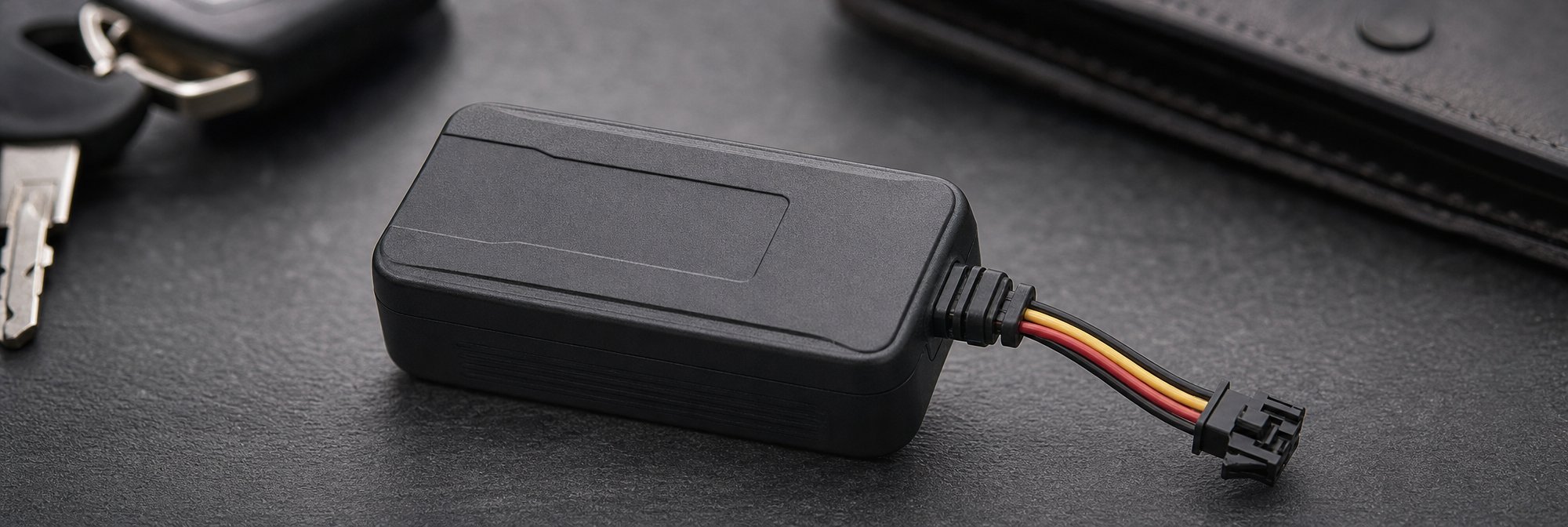
Reliable tracking starts by separating satellite positioning from the communications path that sends location data. Map the real operating area, likely coverage obstacles, and supported network technologies before choosing a device, especially where legacy 2G service may change over time.
Why 4G is normally the more resilient choice
For a new long-term deployment, a 4G/LTE tracker usually offers a more future-oriented connectivity path, particularly for cross-border travel and professional assets. It may also provide better availability in regions where operators have reallocated older network spectrum. This does not guarantee reception inside a metal container or underground structure, but it reduces the risk that the underlying network technology disappears during the tracker’s expected service life.
When comparing GSM GPS trackers, verify the actual frequency bands and regions supported by the specific model. “4G” alone is not a complete compatibility statement. A modem can be 4G capable yet not support the bands used by a destination network. Product documentation, SIM-provider coverage information, and a field test on the actual route are more valuable than a generic generation label.
Fallback capability is valuable, but not magic
Some devices support more than one cellular generation. This can improve resilience where one service is weak or unavailable, but only if a compatible network and correctly provisioned SIM are present. Fallback does not overcome a dead zone, blocked radio signal, an exhausted account balance, or an installation position that shields the antenna.
Assess fallback as one layer in a continuity plan. Combine it with sensible mounting, appropriate power reserves, retained history, and reporting rules that avoid draining the battery during extended poor-coverage periods.
SIM cards, embedded SIMs and the real cost of connected tracking
A cellular tracker needs permission to use a mobile network. That permission is commonly provided by a physical SIM card or an embedded SIM profile. The commercial setup behind that connection is often more important than buyers expect.
Understand what the SIM service includes
Ask whether the tracker includes a SIM, whether a platform subscription is required, and whether the price covers data, SMS, voice functions, roaming, server access, or only the hardware. Some systems bundle connectivity and software in a single recurring plan. Others allow the owner to fit a compatible SIM. Neither model is universally better: the best option is the one that clearly matches the operating area, expected usage, support requirement, and total cost over the life of the device.
For a low-reporting asset tracker, data consumption can be modest. But frequent updates, detailed diagnostics, prolonged travel, and multimedia features can change the usage profile. A plan that appears inexpensive may become unsuitable if it imposes restrictive roaming, suspends dormant SIMs, or has unclear fair-use terms.
APN settings and platform compatibility matter
An Access Point Name, or APN, tells a cellular device how to reach the data network. Some trackers are preconfigured for their supplied SIM and platform. If a user changes the SIM, the tracker may require new APN settings, a server address, port details, or approved command formats. Incorrect settings can create the misleading impression that the tracker is defective.
Before changing any connectivity arrangement, document the current configuration, ensure the device is accessible, and test the new setup in a controlled location. Keep a record of the SIM number, service provider, account expiry date, platform login owner, and support contact. This simple documentation prevents a tracking gap caused by an unnoticed renewal failure or a staff change.
Do not confuse a phone SIM with an IoT plan
A standard consumer mobile plan may be designed for a phone rather than a permanently installed machine-to-machine device. It may have roaming restrictions, periodic activity requirements, or terms that do not suit unattended hardware. IoT-oriented connectivity can offer clearer device management and international operation, although its features and prices vary.
Evaluate the plan for longevity, not merely activation. Can it roam in all relevant countries? Does it work after long standby periods? What happens when a payment fails? Does the provider notify the account owner before suspension? Can the plan be transferred if the business changes provider? These operational questions determine whether a tracker remains useful six months after installation.
Roaming: the overlooked requirement for cross-border assets
Roaming is the ability of a SIM to use a partner network outside its home network or country. It is essential for trackers used in international logistics, travelling vehicles, rental assets, touring equipment, or people who legitimately move between countries. It is also a common source of unexpected silence on the map.
Check countries, networks, and technology—not just “Europe”
A roaming plan may work in many countries but exclude a particular destination, partner operator, technology, or low-cost tariff zone. It may permit data but not SMS commands, or work on 4G while offering no 2G fallback. Read the provider’s current coverage list and confirm it against the tracker’s modem bands.
If an asset crosses borders routinely, test the process before relying on it. Confirm that the tracker reconnects after leaving and entering a country, that timestamps remain coherent, and that the platform continues to send the intended alerts. A brief test trip can expose setup problems that would otherwise emerge during an urgent recovery situation.
Expect a reconnect delay at borders and coverage changes
A tracker may need time to register with a new network after a border crossing or after emerging from an area with no service. This delay is normal and does not necessarily mean that the device has failed. What matters is whether it preserves the journey during the gap and uploads its stored records once communications return.
This is why it is useful to distinguish real-time visibility from eventual journey reconstruction. In a theft recovery case, timely live positions are highly valuable. In an audit or route-review case, a complete uploaded history after coverage returns may still meet the objective. Choose settings and hardware according to which outcome is critical.
Coverage gaps are normal: plan for store-and-forward tracking
No mobile network offers uninterrupted service everywhere. Tunnels, multi-storey car parks, shipping containers, remote roads, shielded buildings, and mountain areas can interrupt both GNSS and cellular signals. A dependable tracker design accepts this reality instead of promising impossible continuity.
For new deployments, 4G/LTE and a clearly managed SIM arrangement generally provide a stronger foundation than choosing on a network label alone. Confirm modem bands, roaming countries, plan conditions, and local record recovery so temporary service gaps do not become permanent information gaps.

Internal memory protects the trip record
A tracker with local logging can store positions when it cannot transmit them and forward the records later. This is often called store-and-forward operation. It is particularly useful for route auditing, asset recovery, and fleet evidence because it can preserve the missing segment rather than leaving a straight line between two distant points.
If historical completeness matters, consider GPS trackers with internal memory. Confirm how many points can be retained, whether logging continues without mobile service, what happens when memory is full, and whether later uploads preserve original timestamps. A large stated capacity is less meaningful than predictable behaviour under the reporting profile you plan to use.
Logging frequency and upload frequency can be different
Some systems can record points frequently while transmitting less often, then send a batch when service is available. This can reduce data use while maintaining a detailed journey history. Other systems report only at a fixed interval and do not create additional local records. Ask which behaviour applies before assuming that “every 30 seconds” means the same thing on every product.
For authorised operational tracking, use the lowest reporting density that still supports the purpose. A service vehicle may need only journey and stop visibility. A high-value movable asset under an active recovery plan may justify more frequent reporting for a limited period. Sensible settings improve battery life, reduce data costs, and make the map easier to interpret.
Reporting logic has a direct effect on connectivity and autonomy
Every transmitted update requires power and a successful network session. The most aggressive settings can create the illusion of better security while shortening autonomy and generating a flood of low-value notifications. The best setup uses events and schedules that reflect the asset’s normal behaviour.
Use movement-based reporting where appropriate
For a battery-powered tracker attached to authorised equipment, movement-triggered reporting is often more efficient than transmitting identical stationary positions all day. The device can sleep while stationary, wake when movement is detected, and provide more frequent updates during travel. This approach should be carefully tested, because sensitivity that is too low may miss slow movement, while sensitivity that is too high may trigger from vibration.
For vehicle tracking, ignition or external-power sensing can produce a more meaningful operational record than a rigid time interval alone. It can distinguish a parked vehicle from one that is in use, provided the installation and wiring are professionally appropriate for the vehicle.
Alert rules should support a response plan
Geofence, movement, excessive-speed, tow, and low-battery alerts can be useful only when someone knows what to do with them. An alert that is triggered constantly becomes background noise. Define the event, the recipient, the escalation period, and the action to take before enabling it. For a practical framework, see how to configure GPS tracker alerts that remain useful.
For example, an asset may have an expected weekday geofence and a separate out-of-hours geofence. A movement event outside working hours may generate an immediate authorised notification, while movement during normal operations is simply logged. This produces a cleaner signal and helps personnel recognise events that genuinely deserve attention.
Match connectivity technology to the asset and recovery workflow
The ideal tracker is not the smallest, cheapest, or most feature-rich model. It is the device whose power, installation, connectivity, reporting behaviour, and recovery workflow fit the asset. Start with the operating purpose.
Vehicles: continuous power changes the options
Authorised vehicle installations can often use a wired or diagnostic-port power source, enabling longer service life and regular reporting without the maintenance burden of a small rechargeable battery. They still need careful consideration of vehicle electrical safety, professional installation where needed, heat exposure, antenna performance, and a backup strategy if main power is disconnected.
Review the dedicated range of GPS trackers for vehicles when the requirement is fleet visibility, private vehicle protection, or a consent-based safety application. Select a reporting profile that reflects real routes and an installation method that remains serviceable for authorised maintenance.
Tools and movable equipment: recovery time matters more than a perfect live trace
Tools, generators, cases, construction equipment, and specialist assets can move unpredictably and may spend time inside buildings or vehicles where coverage is inconsistent. In these cases, compact size, battery endurance, local history, and motion alerts often matter as much as frequent reporting. The owner should maintain serial numbers, photographs, proof of ownership, and a clear escalation process alongside the tracker.
For a detailed asset-oriented approach, read the guide to GPS tracking for tools and equipment recovery. Tracking technology improves the chances of locating property, but it does not replace safe recovery procedures or communication with law enforcement and insurers when appropriate.
Objects that remain near a site: low-power alternatives may fit
Not every object needs a cellular subscription or continuous remote mapping. For inventory that stays within a defined site, nearby Bluetooth discovery or a dedicated long-range local network can be a better fit. These systems normally trade broad live visibility for lower power use and reduced ongoing cost.
Explore subscription-free LoRa and Bluetooth tracking options when the asset remains within the coverage model of the technology. Be realistic about the limitations: Bluetooth is not a substitute for nationwide cellular tracking, and a LoRa system requires compatible network availability or an installed gateway.
A useful tracker preserves the journey when coverage drops and reports only as often as the operational purpose requires. Align local memory, reporting logic, power source, alerts, and recovery workflow with the type of asset rather than relying on one universal tracking profile.

Installation affects radio performance more than many users expect
Connectivity specifications are measured under controlled conditions. Installation determines how close real performance comes to those specifications. Metal body panels, reinforced housings, dense equipment stacks, liquids, and incorrect antenna orientation can attenuate satellite and cellular signals. A device placed for concealment or physical protection may deliver fewer updates than the same unit tested on a dashboard.
Test the proposed location before relying on it
Run a repeatable acceptance test. Fully charge or power the tracker, allow it to obtain a satellite fix outdoors, place it in the intended authorised location, and drive or move it through typical conditions. Compare reported positions, event timestamps, network gaps, and history recovery with the expected route. Include stops, low-speed movement, normal vibration, and an indoor or covered parking period if relevant.
Do not judge success by whether one dot appears on the map. Review whether the device reconnects after a gap, whether its historical points fill in coherently, whether its alerts arrive within an acceptable time, and whether it remains physically secure without damaging property or creating a safety issue.
Avoid choices that compromise maintenance
A tracker must be recharged, inspected, updated, or retrieved eventually. Even a hardwired unit needs periodic operational checks. Build maintenance access into the plan rather than selecting a placement that can only be reached by dismantling equipment. Record installation dates, charger schedules, login ownership, SIM expiry dates, and test results.
For compact devices used on authorised property, the concealed GPS tracker range can help balance discreet form factor with practical access. Discretion should never become an excuse to bypass consent, safety rules, or lawful use requirements.
Build a simple resilience checklist before deployment
A reliable tracking system is a process, not merely a device. Before committing to a tracker, confirm the following points:
- The tracking purpose is lawful, documented, and communicated to relevant authorised users where required.
- The device supports the cellular bands and network technologies used across the operating area.
- The SIM or embedded connectivity plan covers the required countries, roaming partners, data use, and service lifetime.
- The reporting interval, movement logic, and alert rules match the operational need rather than a marketing promise.
- The tracker can retain a useful position history during temporary coverage loss.
- The installation location has been tested for both GNSS and cellular reception under normal conditions.
- Battery, charging, or vehicle-power maintenance has an assigned owner and calendar reminder.
- Account credentials, SIM details, hardware identifiers, and support information are held securely by the authorised owner.
- The response plan for a theft, missed check-in, or suspicious event prioritises safety and lawful recovery.
Common connectivity mistakes and how to avoid them
Buying for a network that is already disappearing
A low purchase price can be a false economy if the tracker depends on a technology being withdrawn in the intended country. Check the current network landscape and expected asset life before purchasing. If the tracker is for a short, local task in an area with verified legacy support, an older technology may be adequate. For new, long-term, or international use, prioritise broader and more durable compatibility.
Testing only where reception is ideal
Outdoor testing beside a window does not validate a tracker installed in a vehicle cavity, equipment housing, basement, or metal tool case. Test the actual installation and real route. The aim is not perfection; it is understanding normal behaviour and identifying unacceptable gaps before an incident occurs.
Assuming live tracking means every second is visible
Cellular registration, server processing, power-saving settings, coverage changes, and reporting rules all introduce delay. Configure expectations around update intervals and recovery needs. If an urgent event requires immediate action, establish who receives the alert and what safe, lawful steps follow. Do not attempt personal recovery based solely on a map point.
Ignoring the account after installation
Expired subscriptions, disabled roaming, changed passwords, inactive SIMs, and lapsed payment cards can silently disable a well-installed tracker. Schedule a monthly or quarterly health check, depending on the asset’s risk and criticality. Verify a fresh position, battery or power status, history upload, alert delivery, and account access.
Final perspective: reliable tracking depends on the whole communications chain
A GPS tracker is dependable only when positioning, power, installation, mobile connectivity, data service, platform access, and response procedures work together. Satellite reception establishes where the asset is; a suitable cellular or local-network path communicates the information; internal logging protects the record through temporary gaps; and well-designed alerts make the information actionable without creating noise.
Choose network technology based on the places the tracker will operate tomorrow, not only the reception visible today. Verify 2G or 4G availability, examine roaming terms, test the actual installation, and retain a recovery-friendly history. With a properly matched device and a disciplined operating process, authorised GPS tracking can provide clear, timely location intelligence rather than occasional map dots that arrive too late to help.
Installation, account maintenance, and field testing determine whether a tracker performs reliably beyond a product demonstration. Validate the intended placement and route, then maintain the device, connectivity plan, access details, and response process as one operational system.
Frequently Asked Questions
Why can a GPS tracker know its location but fail to show it in the app?
Positioning and communication are separate functions. A tracker can calculate an approximate position from satellite signals but still be unable to send it if cellular service is unavailable, the SIM is inactive, data settings are incorrect, or the device is in a coverage dead zone. Conversely, cellular reception may be strong while satellite visibility is poor.
What can affect GPS tracker accuracy in real-world use?
Satellite positioning works best with a reasonably open view of the sky. Accuracy can be degraded in indoor storage areas, underground car parks, dense urban streets, metal enclosures, and when the antenna is poorly oriented. Obstructed satellite reception may lead to a less precise position even when the tracker can still transmit data through a mobile network.
Should I choose a GPS tracker based on 2G or 4G connectivity?
For a new long-term deployment, 4G/LTE is normally the more future-oriented option because older network technologies may be reduced or retired by operators. A 2G tracker can still be suitable where 2G remains active, but support must be verified with the relevant operators in every country or region where the tracker will be used.
Does a 4G GPS tracker work on every mobile network?
No. A 4G label alone does not confirm compatibility. The tracker’s modem must support the frequency bands used by the destination network. Before purchasing, compare the model’s supported bands with the countries and operators involved, review SIM-provider coverage information, and test the device on the real route where possible.
Does multi-network fallback guarantee GPS tracker coverage?
No. Support for more than one cellular generation can improve resilience when a compatible network and correctly provisioned SIM are available. It cannot overcome a dead zone, blocked radio signals, an exhausted account balance, or an antenna position shielded by the installation environment. Fallback works best alongside suitable mounting, power reserves, retained history, and sensible reporting rules.
What should I check before using a GPS tracker across borders?
Confirm that the SIM can roam in every relevant country and check the specific networks and technologies supported. A plan described broadly as covering a region may still exclude a country, partner operator, technology, or tariff zone. Verify the tracker’s modem bands as well, then test reconnection, timestamps, and intended alerts during a cross-border trip before relying on it.
What is the difference between a physical SIM and an embedded SIM in a GPS tracker?
Both provide permission for a cellular tracker to use a mobile network. A physical SIM is inserted into the device, while an embedded SIM profile is built into the connectivity arrangement. The important consideration is not the format alone, but whether the service, roaming terms, platform access, support, and total long-term cost suit the tracker’s operating area and reporting needs.
Can I use a standard phone SIM in a GPS tracker?
A consumer phone plan may not be designed for permanently installed machine-to-machine hardware. It can have roaming restrictions, periodic activity requirements, or other terms that do not fit an unattended tracker. An IoT-oriented plan may offer clearer device management and international operation, but it should still be assessed for long standby periods, suspension rules, payment failures, and transfer options.
What are APN settings, and why do they matter for GPS trackers?
An Access Point Name, or APN, tells a cellular device how to reach the data network. Trackers supplied with a SIM may already be configured, but changing the SIM can require new APN settings, server addresses, port details, or approved command formats. Incorrect settings can prevent reporting and make a working tracker appear faulty.
What should I do before changing the SIM card in a GPS tracker?
Record the existing configuration, keep the tracker accessible, and test the replacement setup in a controlled location. A new SIM may require changes to APN settings, server details, port information, or command formats. It is also useful to retain the SIM number, provider, account expiry date, platform login owner, and support contact to avoid renewal or handover gaps.
Why does my tracker show no recent location update?
A missing update does not always mean GPS has failed. Possible causes include poor satellite visibility, no cellular service, an invalid SIM service, insufficient power, incorrect APN settings, a disabled data plan, or a reporting rule that has placed the device in sleep mode. Check the latest event type and timestamp to distinguish a positioning issue from a transmission issue.
How should I assess GPS tracker coverage before buying a device?
Start with the actual operating area rather than a product page. List countries, regions, regular routes, overnight parking locations, depots, garages, ports, basements, warehouses, rural worksites, and likely recovery routes. A tracker can appear reliable during a short outdoor test yet struggle in the locations or journey stages that matter most.