Power chain
Include camera, router and conversion losses. Verify charging support, temperature limits and the outcome of a mains outage.

A hidden camera that works for ten minutes on a desk is not necessarily a camera system that will still provide useful footage after weeks of normal use. Long-term reliability depends on far more than advertised resolution, app features, or the apparent discretion of the device. It depends on a practical chain: appropriate power, stable recording, usable network access where needed, realistic scene coverage, periodic checks, and a lawful purpose for the monitoring.
This guide explains how to plan an unattended hidden camera deployment that remains operational over time. It is intended for legitimate security, property-protection, authorised workplace, and home-monitoring applications. Before installing any camera, understand the rules that apply to recording people, employees, visitors, tenants, and private spaces. Start with this detailed overview of spy camera laws in the UK, Europe and worldwide, then obtain consent, notices, or professional legal advice whenever the situation requires them.
The central idea is simple: do not select a device first and invent a role for it afterwards. Define the event you need to understand, decide what footage would make that event clear, and build the power, connection, storage, and review process around that outcome. For a broader comparison of formats and use cases, the complete guide to spy camera types and installation is a useful starting point.
When users say that a camera is reliable, they often mean that it starts when they press the power button. In a real installation, reliability means something more demanding: the device captures a relevant event, the subject is recognisable enough for the intended purpose, the file is retained, the date and time are credible, and an authorised user can retrieve the footage without discovering too late that something failed.
Every part of that sequence can break. A battery may deplete earlier than expected. A memory card can fill, overwrite a clip, or become corrupted. A router update can disconnect an app-linked camera. Infrared reflections can wash out night footage. A changed piece of furniture can block the view. A camera may still be online while its lens is dirty, its clock is wrong, or its angle no longer captures the relevant route.
That is why the best long-term installation is not always the smallest device or the one with the most impressive headline specification. It is the setup with the fewest untested assumptions. In practice, that normally means choosing a suitable model from a spy camera range, simplifying its operating mode, and documenting a short routine for checking that it still does its job.
Write a one-sentence mission statement before comparing products. For example: “Record authorised access to the stockroom door outside business hours,” or “Maintain a visual record of activity around a private storage entrance.” This sentence prevents a common mistake: buying a discreet object camera when a fixed, powered unit with a clearer view would better meet the actual need.
Then answer five questions:
Your answers define the technical priorities. A camera meant to establish that a door opened may need modest detail but excellent trigger consistency. A setup intended to identify the person entering needs better angle control, exposure, and subject distance. A camera observing an unattended location for a month has a power and maintenance problem, not merely a concealment problem.
Where a lawful installation can use a legitimate, safe power source, mains power is usually the strongest foundation for long-term video continuity. It removes the uncertainty of battery depletion and allows more frequent recording, live access, stronger night operation, and regular connection checks. It does not eliminate failure: power cuts, loose plugs, overloaded extension leads, and inaccessible sockets still matter. But it turns a recurring battery-management task into an installation-quality task that can be tested.
Object-concealed units can be practical when the object belongs naturally in the monitored environment and has a stable power role. The right question is not “what is easiest to hide?” but “what is plausible here, points toward the scene, and can remain powered without being moved?” Explore the available hidden camera formats only after confirming that the chosen object supports the viewing geometry and operating time you need.
A reliable long-term camera setup begins with a clearly defined, lawful purpose rather than a device choice. Match the required evidence, operating duration, power source and review process to the real conditions of the scene.
Long-term reliability depends on more than a large battery. Power, network access, recording, clock and maintenance must recover together after an interruption. Define what the camera must keep doing when a supporting service is unavailable.
Include camera, router and conversion losses. Verify charging support, temperature limits and the outcome of a mains outage.
Confirm which stream is saved locally and which is sent to the cloud. Test overwrite and preserve incidents before they are lost.
Check reconnection and clock synchronisation. A camera that restarts but retains the wrong time can make incident review difficult.
| Situation | What to prioritise | How to verify it |
|---|---|---|
| Internet outage | Local recording if supported | Retrieve a clip spanning the interruption |
| Power interruption | Documented restart or backup | Confirm a new file afterwards |
| Quiet extended period | Low-load power behaviour | Verify the system remains operational |
Choose a maintenance interval based on the risk, environment and permitted retention. Keep an authorised contact who can recover files without sharing administrator credentials. Review the complete setup whenever a SIM plan, router, app or cloud subscription changes.
For the wider context, read the complete spy camera guide. Compare available formats and their documented features in the main spy camera category.
Catalogue formats to compare: the images below illustrate different devices. Check each product page for recording, power, connectivity and installation requirements. Scroll the cards horizontally to browse the selection.
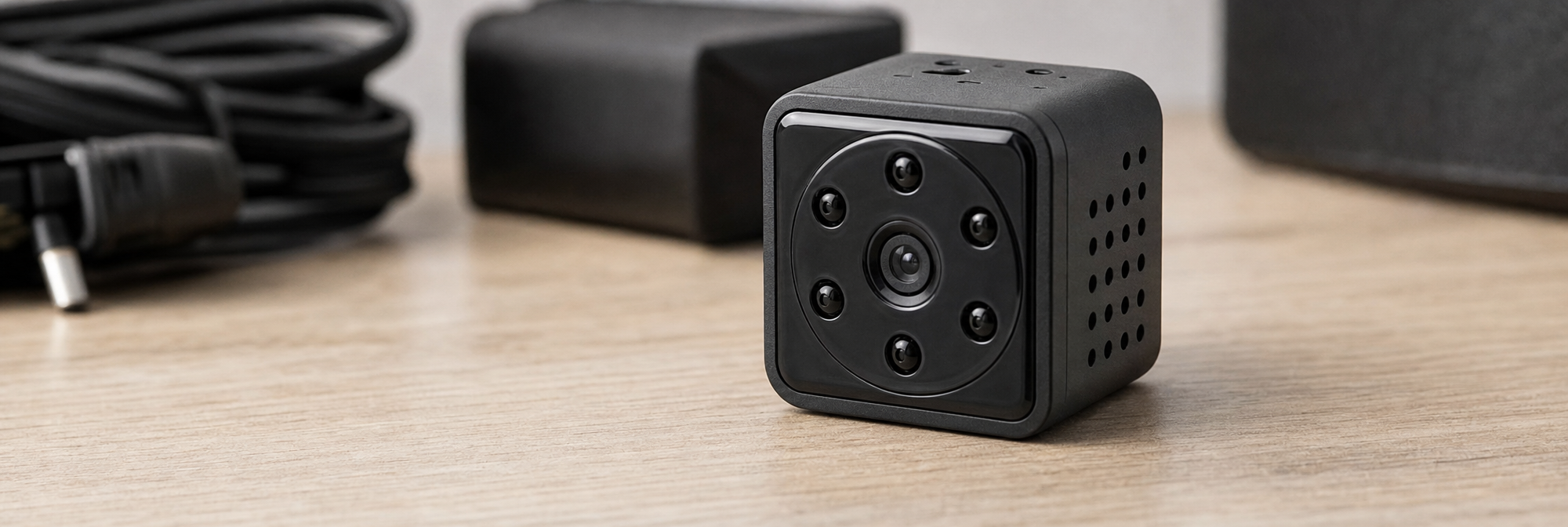
Battery operation is valuable where wiring is impossible, temporary observation is justified, or the purpose is to cover a known period rather than provide permanent surveillance. Yet claimed standby time is often mistaken for real recording time. Recording at high resolution, using Wi-Fi, transmitting live video, illuminating infrared LEDs, cold temperatures, repeated motion events, and frequent app access can all shorten usable autonomy.
Plan from the worst credible day rather than the quietest day. If a location receives fifty relevant triggers on a busy day, test for that condition. If the camera will use night vision, test it at night. If a battery camera is accessed through an app, include that usage in the test. For a more detailed approach to estimating run time and selecting a power method, see the spy camera battery life and power supply guide.
A strong installation anticipates interruption. A hybrid approach may use continuous external power with local recording as a safeguard against internet failure. Another deployment may use a rechargeable camera with a fixed service schedule, an external power option where appropriate, and a clear rule that the device is never left beyond its verified operating window.
Graceful failure means that a single fault does not erase every record. For example, remote viewing should not be the only way to know whether the camera was recording. Local storage should not be the only place where crucial material exists if the camera itself could be damaged or removed. The right balance depends on the sensitivity of the environment and the legal, security, and retention requirements of the user.
Storage capacity is meaningful only when connected to a recording mode. “Supports a 128 GB card” does not tell you whether that card will retain two days, two weeks, or much longer. File size varies with resolution, frame rate, codec, image complexity, low-light noise, audio use, and whether the unit records continuously or only after an event.
Continuous recording provides the best context. It can show what happened immediately before and after a trigger, reveal whether a person approached from outside the frame, and avoid missed events caused by imperfect motion detection. Its drawback is predictable: it consumes space quickly and demands a more disciplined review and overwrite policy.
Event recording conserves storage and makes review faster, but it must be configured carefully. A very short clip may show only a person leaving the frame. A delayed trigger can miss the key action. A sensitivity setting that reacts to every lighting change may generate so many clips that the meaningful one becomes difficult to find. When the purpose is incident explanation rather than simple occupancy confirmation, consider the principles in this guide to capturing footage that clearly explains an incident.
Do not rely solely on a manufacturer estimate. Install the intended memory card, choose the planned quality settings, and let the device record in the actual scene for at least a full day including a low-light period. Check how much capacity was used and calculate retention from the real result. Repeat after enabling audio, alerts, or a different recording mode if those features are part of the final configuration.
Then leave a margin. If you require seven days of footage before a routine review, design for considerably more than seven days. A busy day, a firmware change, or a scene with more low-light noise can produce larger files. The same caution applies to automatic overwrite: verify that the device overwrites as expected and that important clips are exported before their retention window closes. Compare local and remote approaches in the microSD versus cloud storage guide.
Memory cards are consumable components, particularly in devices that continuously write video. Use a reputable, compatible card with adequate endurance for the workload. Format it in the camera if the manufacturer recommends doing so, then verify that the camera creates readable files and correct timestamps. Avoid assuming that an old card recovered from another device is suitable for continuous surveillance.
A camera with onboard storage can simplify a compact deployment because it does not depend on a removable card remaining correctly seated. If this suits the retention window and retrieval workflow, review cameras with internal memory as an alternative. Regardless of medium, conduct a periodic export test: a file that appears in an app is not proven useful until it opens, plays smoothly, and can be securely retained where required.
Network connectivity is useful when it provides a genuine operational benefit: checking a camera after an alarm, receiving a timely notification, confirming that a protected area is secure, or retrieving footage without accessing the location. It is not automatically necessary. A local-recording camera may be the more reliable and lower-maintenance solution when prompt remote response is unnecessary.
Power, recording mode and storage should be tested together in the real environment, including busy periods and low light. Build in retention and battery margins so routine variation does not remove footage before it can be reviewed or exported.

Wi-Fi cameras depend on signal strength, router availability, credentials, network changes, bandwidth, and sometimes app or cloud-service continuity. Before relying on Wi-Fi, test the exact mounting location rather than a nearby desk. Building materials, appliances, shelving, metal structures, and competing networks can create an important difference between “connected during setup” and “stable over time.”
Choose a Wi-Fi device only after checking whether the network is reliable and whether access remains authorised and secure. The wireless Wi-Fi camera selection can help compare suitable formats, while this Wi-Fi spy camera guide explains the practical requirements of app-connected use.
For long-term operation, document the Wi-Fi name used, keep account recovery information secure, update default credentials, and verify that alerts still arrive after router maintenance or password changes. Avoid treating remote live view as proof that recording is functioning; check both functions separately.
Cellular cameras can be appropriate where there is no dependable local internet connection, such as an authorised remote property, temporary site, or isolated storage area. Their reliability depends on mobile coverage at the device position, data-plan management, signal behaviour inside the chosen enclosure, and the power draw created by transmission. A cellular camera with weak coverage may repeatedly reconnect, consuming more energy while providing delayed or inconsistent access.
Test the intended carrier at the precise site and understand the data implications of live viewing, high-resolution uploads, and frequent alerts. The 4G spy camera guide for remote surveillance without Wi-Fi explains the trade-offs in more depth. For an unattended system, configure alerts to support decisions, not curiosity: excessive app checking consumes data and may create a false sense of control.
A camera can technically cover an entire room while failing to capture any useful detail. Extremely wide views make people small; high mounting positions may show hair and shoulders rather than faces; windows can create severe backlight; and a decorative object can create an appealing concealment position but a poor line of sight.
Prioritise the route, action, or access point that matters. If the goal is to document authorised access through a doorway, place the field of view so the person crosses a usable distance from the lens rather than appearing at the far edge of a wide room. If the objective concerns a cabinet or work surface, ensure that hands, relevant objects, and approach path remain visible without creating unnecessary coverage of unrelated private activity.
Coverage planning should account for lens height, angle, distance, ambient light, foreground obstructions, and the movement direction of a subject. This hidden camera field-of-view and placement guide provides a practical framework for matching the lens to the scene.
Test in the hardest light, not just under ideal daytime conditions. A corridor can be bright at noon but dim after a timer switches lights off. An entrance may be usable until a vehicle’s headlights or a sunrise behind the subject causes silhouette. Infrared night vision is useful, but it can produce reflections from glass, polished surfaces, framed artwork, or a nearby wall. In very close spaces, infrared illumination may overexpose a face; in larger spaces, it may not reach the point where identification is needed.
Review the night vision camera options with the actual scene in mind. Take test clips at the normal lighting states: bright day, artificial evening light, complete darkness, and the transition between them. A setup that is excellent during the day should not be declared ready until its night footage has been reviewed at normal playback size.
Notifications are only useful if they are actionable. A camera that sends dozens of alerts from shadows, pets, passing traffic, or routine activity trains the user to ignore the app. This can be worse than receiving no notification at all because it creates the illusion of active monitoring while hiding a relevant event in noise.
Begin with conservative settings and run a short observation period. Define detection zones around the doorway, cabinet, gate, or path that matters. Exclude moving trees, roads, bright windows, and other predictable sources of false triggers. If the device offers human, vehicle, or other classification, treat it as an aid rather than an infallible decision-maker. Classification should be tested in the specific scene.
Set clip duration and pre-event capture to retain context where available. A notification saying “motion detected” should lead to a clip that shows why it triggered. For a detailed comparison of trigger technologies and their limitations, see the guide to PIR, AI, Doppler and pixel-based motion detection.
Connectivity and alerts should support a defined response, not add unnecessary complexity or notification noise. Reliable coverage comes from testing the exact position, subject route and lighting conditions that the camera will face in daily use.
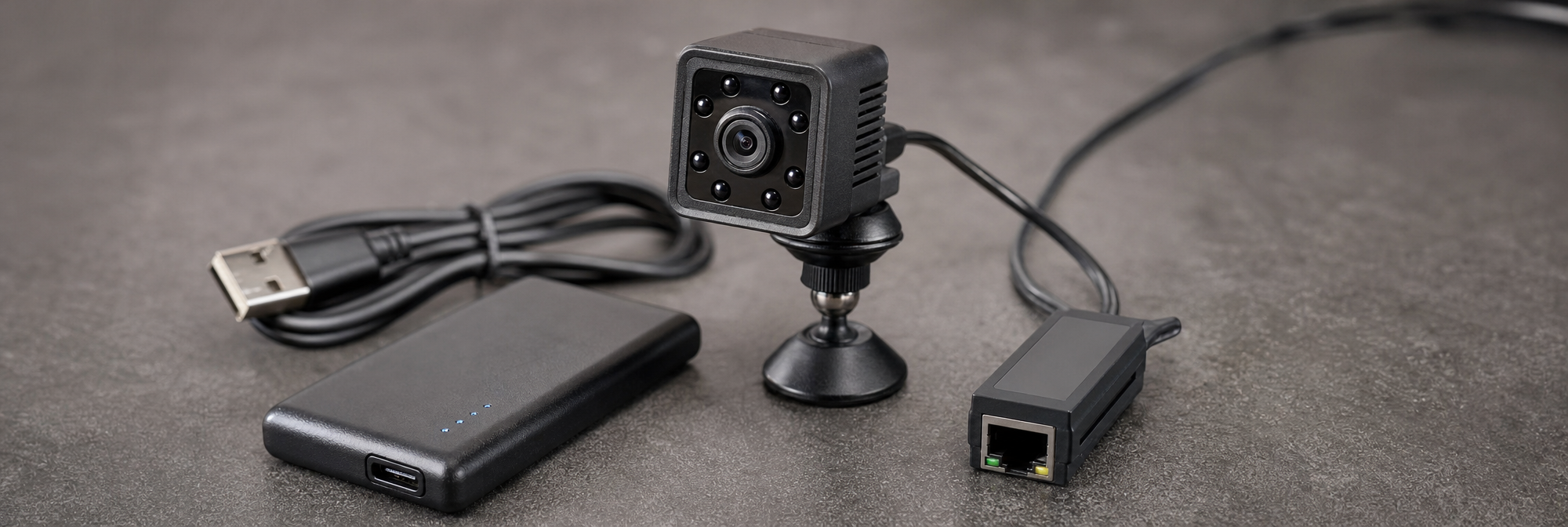
Installation is not the finish line. A disciplined acceptance test turns a collection of features into evidence that the particular configuration works. Create a simple test plan and repeat it whenever the camera is moved, settings are changed, the room layout changes materially, or a new storage card is installed.
This process takes little time compared with discovering after an incident that a camera recorded only a blurred silhouette. For a repeatable scene-validation method, use the hidden camera scene testing guide.
Long-term camera deployments fail quietly. A lens can gather dust. A clock can drift. A card can approach the end of its useful life. An object can be moved. A firmware or router update can alter connectivity. The correct response is not constant interference with the setup; it is a proportionate inspection routine.
For a lower-risk home or property application, a scheduled monthly review may be sufficient. For a more important authorised business-security use, more frequent checks may be appropriate. The schedule should include a quick view of the physical scene, confirmation of power and storage status, review of a recent clip, a check of date and time, and a test of the retrieval process.
Keep a basic log: date checked, person responsible, result, changes made, and any exported clip. This is especially helpful where recordings may later need to explain an event, because it distinguishes a known operational period from guesswork. Consult the hidden camera maintenance and reliability audit guide for a more complete lifecycle routine.
Reliable recording includes responsible handling. Restrict physical access to the camera and logical access to its app, memory card, recordings, and account credentials. Use unique passwords, enable available account security measures, remove access promptly when responsibilities change, and avoid sharing clips through uncontrolled channels. If footage relates to an incident, preserve the original where possible and record when and by whom it was exported.
Equally important, avoid collecting more footage than the legitimate purpose demands. Position the camera narrowly, define a retention period, and do not use covert equipment in spaces where people have a strong expectation of privacy. Audio recording can be subject to additional restrictions and should never be enabled casually. A focused, documented, lawful setup is more defensible and usually more technically effective than broad, unmanaged monitoring.
A hidden camera is most useful when it remains an ordinary, dependable part of a lawful security process rather than a device that is remembered only after something goes wrong. The strongest long-term setup has clear objectives, adequate power, tested storage, a realistic connection method, scene-specific placement, controlled alerts, and a simple maintenance habit.
Do not judge success by whether the camera is hard to notice or whether the app displays a live image on installation day. Judge it by whether the correct footage will still exist, be understandable, and be retrievable when an authorised user genuinely needs it. That is the difference between a camera that merely operates and a system that can be relied upon.
A camera becomes dependable only after its complete workflow has been tested: capture, alerting where used, playback, export and secure retention. Regular, proportionate maintenance helps identify quiet failures before they affect a legitimate security need.
Long-term reliability means more than switching on successfully. The camera must capture the relevant event, provide enough usable detail, retain the recording with credible date and time information, and allow an authorised user to retrieve it. Power, storage, network access, scene coverage, and regular checks all need to work together.
Start by defining the event you need to understand, rather than selecting the smallest or most discreet device first. Identify what must be visible, when it could happen, how long the camera must operate unattended, and how recordings will be reviewed and retained. These answers determine the required power, angle, recording mode, and connectivity.
Mains power is usually the strongest option for persistent, long-term coverage where a lawful installation has access to a safe, legitimate power source. It avoids recurring battery depletion and can support frequent recording, live access, night operation, and connection checks. The installation should still account for power cuts, loose plugs, overloaded extensions, and inaccessible sockets.
Battery cameras are better suited to short, defined deployments, temporary observation, or locations where wiring is impossible. Real recording time can be reduced by high-resolution video, Wi-Fi use, live streaming, infrared lighting, cold conditions, repeated motion events, and app access. Test the camera under realistic busy-day and night conditions before relying on its operating time.
A hybrid plan combines safeguards to reduce the impact of a single failure. For example, a camera may use continuous external power and local recording in case internet access fails. A rechargeable unit may follow a fixed service schedule and remain within a verified operating window. Remote viewing should not be the only confirmation that recording is working.
Continuous recording offers the most context, showing activity before and after an event and reducing dependence on motion detection. However, it uses storage space quickly and requires a clear review and overwrite routine. Motion-activated recording conserves space and can simplify review, but poorly configured triggers, short clips, or excessive sensitivity can miss or obscure important activity.
Test the planned camera, memory card, settings, and real installation scene for at least a full day that includes low-light conditions. Measure the storage used, then calculate retention from that result. Repeat the test if audio, alerts, or another recording mode will be used. Leave a margin beyond the minimum retention period you need.
Storage duration depends on more than card capacity. Resolution, frame rate, codec, scene complexity, low-light noise, audio, and continuous or event-based recording all affect file size. A card size alone cannot show whether it will retain days or weeks of video. Testing the actual configuration provides a more dependable retention estimate.
Verify that automatic overwrite operates as expected before relying on it. Important recordings must be exported before their retention window closes, especially when continuous recording is enabled. Build a routine that matches the required review period and leave additional storage capacity beyond the minimum target, since busier scenes, firmware changes, and low-light footage can increase file sizes.
Use a reputable, compatible memory card with sufficient endurance for the recording workload. Cards used for continuous video writing are consumable components and should not be assumed reliable simply because they came from another device. If recommended for the camera, format the card in the device, then confirm that files are readable and timestamps are correct.
Carry out periodic export tests. A clip visible in an app is not necessarily proven usable until it opens, plays smoothly, and can be retained securely where needed. Also check that the date and time are correct, that the scene remains properly framed, and that the camera continues to capture the route or activity it was installed to monitor.
Wi-Fi is useful when it enables a real action, such as receiving an alert, checking a protected area, or retrieving footage without visiting the location. It is not always necessary. Where prompt remote response is not required, a local-recording camera can be a more reliable and lower-maintenance option than a network-dependent setup.
Test the network at the exact mounting position, not only near the router or during initial setup. Walls, shelving, metal structures, appliances, and competing networks can affect long-term stability. Keep the Wi-Fi name documented, secure account recovery details, change default credentials, and verify alerts after router maintenance or password changes.
No. Live view and recording are separate functions and should be checked separately. A camera may be reachable online while its storage is full, its files are corrupted, its clock is inaccurate, or its viewing angle no longer captures the relevant area. Regularly confirm both video retrieval and successful local recording.
A hidden camera should only be used for a lawful purpose, such as legitimate security, property protection, authorised workplace monitoring, or home monitoring. Consider the rules that apply to recording people, employees, visitors, tenants, and private spaces. Obtain consent, provide notices, or seek professional legal advice whenever the situation requires it.