
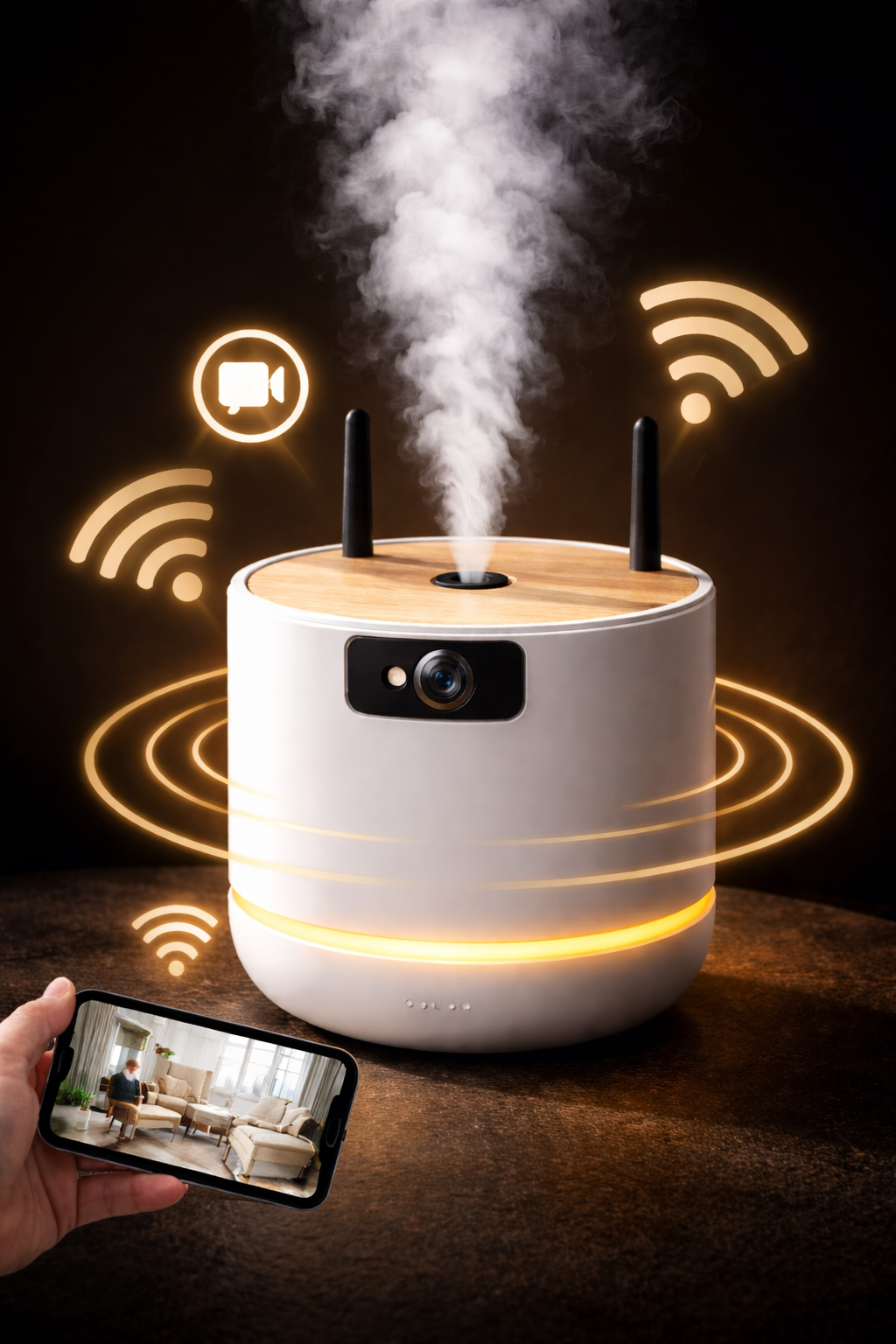
WiFi Spy Camera: How It Works, Key Benefits and How to Choose the Right Model
The WiFi spy camera is now one of the most sought-after solutions for discreet surveillance. Compact, easy to set up and capable of transmitting video remotely, it is suitable for both private users and professionals who want to keep an eye on a specific location without installing a bulky or highly visible system. Thanks to wireless connectivity, it becomes possible to view a live video feed from a smartphone, tablet or computer while maintaining the discreet nature that makes spy cameras so effective.
Unlike a fully standalone model that records only to a memory card, a WiFi hidden camera generally offers more flexible access to video footage, alerts and settings. Depending on the model, it may send motion notifications, enable remote live viewing, make video retrieval easier and provide an experience closer to WiFi video surveillance, but in a much more discreet format. This combination of miniaturization, connectivity and ease of use is precisely what explains the success of this type of device.
However, WiFi technology is not suitable for every situation. Network range, connection stability, available power supply, storage method and the installation environment all directly affect the real performance of the device. A camera installed in an apartment, office or room with strong WiFi coverage will not face the same constraints as a device intended for an isolated area, a vehicle or a site without an internet router. That is why it is essential to fully understand how a WiFi spy camera works before choosing a model.
In this guide, we will explain in detail what a WiFi spy camera is, how it works, what its main advantages are, what its limitations are, when it is most useful and which criteria really matter when making the right choice. We will also look at the situations in which another option may be more suitable, such as an internal memory camera, a GSM / 4G spy camera or a system combined with suitable accessories such as an external battery, a memory card or a mobile router.
What Is a WiFi Spy Camera?
A WiFi spy camera is a discreet surveillance device capable of connecting to a wireless network in order to transmit images, provide remote access and, depending on the model, send real-time alerts. It combines the classic features of a spy camera — compact design, discreet integration and a barely visible lens — with a wireless communication function that is especially useful for modern monitoring needs.
In practical terms, this type of device can be hidden inside an everyday object, installed in a room, placed in an office or integrated into any environment where discretion is essential. Once connected to WiFi, the camera does more than just record locally: it can also allow users to view footage from a mobile phone, tablet or computer, which clearly sets it apart from models that work only with a microSD card or internal memory.
A WiFi hidden spy camera therefore stands somewhere between a miniature hidden camera and a connected video surveillance system. It offers a more flexible approach than many traditional systems because it often allows access to the live feed without having to remove the device or physically retrieve the memory card. This is what makes it a particularly attractive option for anyone looking for discretion, remote control and ease of use at the same time.
It is important to point out that a WiFi spy camera does not automatically mean unlimited surveillance from anywhere without restrictions. Its proper operation depends on several factors, including network quality, mobile app configuration, the selected power mode and the capabilities of the product itself. This is also why it is important to clearly distinguish WiFi models from 4G cameras, P2P cameras or fully autonomous models, as each option is designed for different surveillance needs.
How Does a WiFi Spy Camera Work?
The operation of a WiFi spy camera is based on the combination of three main components: a miniature video sensor, a wireless transmission module and an application that allows users to access the footage remotely. Once installed and connected to a wireless network, the camera can either record video locally or transmit a live stream that can be viewed from a smartphone, tablet or computer.
This type of device combines the discreet nature of a spy camera with the capabilities of a connected monitoring system. Depending on the model, users may be able to watch live video, receive notifications when motion is detected or review recordings stored on a microSD memory card or internal storage.
Connecting to the WiFi Network
The first step is to connect the camera to the available WiFi network at the installation location. This process is usually done through a dedicated mobile application that allows the user to enter the network information, such as the router name and password. Once the configuration is completed, the camera becomes accessible from the device used for monitoring.
This connection allows the device to communicate with the application and transmit the data required for surveillance. As a result, the stability and range of the WiFi network play an important role in the overall performance and reliability of the system.
Real-Time Video Transmission
Once connected, the camera can transmit a live video stream through the WiFi network. This allows the user to observe what is happening in the monitored area without needing physical access to the device. This live viewing capability is one of the main advantages of connected hidden cameras.
In some situations, the footage may also be recorded simultaneously on a memory card or stored in internal memory, ensuring that important events are preserved even when the user is not actively watching the live feed.
Remote Access from a Smartphone or Computer
Access to the footage is typically provided through a mobile application installed on a smartphone or through a web interface accessible from a computer. This application allows users to view video streams, adjust certain settings and sometimes receive alerts when motion is detected by the camera.
Thanks to this interface, surveillance becomes far more flexible. Users can check the camera at any time, verify a situation or review recorded footage without having to physically interact with the device itself.
Video Storage Options
Recordings made by a WiFi spy camera can be stored in several ways depending on the model. The most common option is the use of a microSD card, which allows videos to be saved directly within the device.
Some devices may also use internal memory or offer synchronization with remote storage services. The chosen storage method directly affects recording capacity, ease of access to footage and how long the video files can be kept before being overwritten.
What Are the Advantages of a WiFi Spy Camera?
The WiFi spy camera has become one of the most widely used solutions for discreet surveillance. By combining the compact design of modern spy cameras with the capabilities offered by wireless connectivity, it allows users to access video footage more easily while significantly improving the flexibility of monitoring.
Unlike devices that only record to a microSD card or internal memory, WiFi connectivity opens the door to additional features such as remote access, real-time alerts and faster access to recorded footage. These capabilities explain why this type of camera is now widely used in both domestic and professional environments.
Live Monitoring from a Smartphone
One of the main advantages of a WiFi spy camera is the ability to view live footage from a smartphone, tablet or computer. Once the camera is connected to the network, the user can access the video stream at any time without needing physical access to the device.
This feature makes it possible to quickly check a situation, monitor a room or observe a specific environment remotely. In practice, it transforms a simple hidden camera into a fully connected surveillance tool.
Motion Detection and Alerts
Many WiFi spy cameras include a motion detection system. When activity is detected in the monitored area, the camera can automatically start recording and send a notification directly to the user’s smartphone.
This feature helps reduce unnecessary recordings and focuses attention on the events that truly matter. It is particularly useful for monitoring a room, an office or any area where unusual activity may occur.
Remote Access to Footage from Anywhere
Thanks to WiFi connectivity, footage can be accessed remotely through the camera’s associated application. As long as the device remains connected to the network and the user has internet access, it becomes possible to check the video feed without being physically present at the monitored location.
This remote access capability makes the WiFi spy camera comparable to a traditional video surveillance system, while maintaining a far more discreet format that is easier to install.
Quick and Easy Installation
Another major advantage of a wireless spy camera is its ease of installation. Unlike wired surveillance systems that may require technical setup or installation work, most WiFi models can be configured in just a few minutes using a mobile application.
This ease of use allows a wide range of users to deploy a surveillance solution without advanced technical knowledge, while still benefiting from the modern capabilities of connected monitoring systems.
Limitations of WiFi Spy Cameras
Despite their many advantages, WiFi spy cameras also have certain limitations that should be considered before choosing this type of device. Like any technology that relies on a wireless connection, their effectiveness depends on several technical factors, including network quality, the installation environment and the available power supply.
Understanding these constraints helps determine whether a WiFi spy camera is truly suitable for a given situation or whether another solution — such as a standalone camera with internal memory, a GSM / 4G spy camera or a system combined with external power accessories — would be more appropriate.
Dependence on the WiFi Network
The first factor to consider is the camera’s dependence on the WiFi network. In order to transmit images and allow remote access, the camera must remain connected to a stable wireless network. If the internet connection is interrupted, if the router restarts or if the signal becomes too weak, certain features such as live video viewing may temporarily become unavailable.
This does not necessarily mean that the camera completely stops working, since many models continue to record locally on a microSD memory card. However, connectivity-related functions may be limited until the network connection is restored.
Signal Range and Connection Quality
The range of the WiFi signal directly affects the stability of video transmission. If the camera is installed too far from the internet router or if several thick walls are located between the two, the signal may become unstable or insufficient to transmit images correctly.
In some environments, it may be necessary to use a WiFi repeater, an additional router or a location closer to the signal source in order to achieve optimal performance.
Higher Battery Consumption
A WiFi connection requires more power than simple recording on internal storage. As a result, a WiFi spy camera generally consumes more battery than a fully autonomous model that only records locally.
For installations that require longer operating time, it may be useful to use an external battery or a permanent power supply. This solution can significantly extend the operating time while maintaining the advantages of wireless connectivity.
WiFi Spy Camera vs 4G Spy Camera: What Are the Differences?
Choosing between a WiFi spy camera and a 4G spy camera mainly depends on the environment where the surveillance needs to be carried out. Both technologies allow remote access to video footage, but they rely on different connection methods and are not suited to the same situations.
A WiFi spy camera connects directly to an existing wireless network, typically the one provided by an internet router. It is therefore particularly well suited to locations where a stable internet connection is already available, such as a house, apartment or office. Once configured, it allows users to view live video and manage recordings from a smartphone, tablet or computer.
By contrast, a 4G spy camera operates through the mobile phone network. It uses a SIM card to transmit data, in much the same way as a smartphone. This type of device is especially useful in places where no WiFi network is available.
The main difference between these two technologies therefore lies in the required infrastructure. WiFi cameras rely on an existing local network, whereas 4G cameras enable more independent monitoring and are often used in mobile or remote environments.
In some cases, the choice between these two solutions also depends on installation constraints, available battery autonomy and the type of access required for viewing footage. For this reason, it is important to carefully analyze the installation environment before selecting the most appropriate type of camera.
| Feature | WiFi Spy Camera | 4G Spy Camera |
|---|---|---|
| Connection Type | Connects to a WiFi network such as an internet router or wireless access point | Connects through the mobile network using a SIM card |
| Access to Footage | View footage from a smartphone or computer via the internet | View footage from a smartphone or computer through the mobile data network |
| Ideal Environment | House, apartment or office with an existing WiFi connection | Areas without WiFi such as a vehicle, outdoor site, warehouse or construction area |
| Installation | Connects to the existing WiFi router | Requires a SIM card and adequate mobile network coverage |
| Network Dependence | Depends on WiFi range and connection stability | Depends on the quality of the mobile network available on site |
| Mobility | Better suited to a fixed location | Better suited to mobile, remote or isolated environments |
| Operating Cost | No mobile subscription needed if a WiFi network is already available | May require a data plan or prepaid SIM card |
When Should You Use a WiFi Spy Camera?
A WiFi spy camera is particularly well suited to environments where a stable internet connection is already available. Thanks to its ability to transmit footage remotely, it makes it possible to monitor a location in real time while keeping the device discreet and easy to install.
Unlike some more complex surveillance systems, a connected hidden camera can be installed quickly and used for different types of monitoring. Its effectiveness still depends on the context of use, the quality of the WiFi network and the positioning of the device.
Monitoring a House or Apartment
In a domestic environment, a WiFi spy camera can be used to monitor a specific room, an entrance or a sensitive area while remaining discreet. It may be installed in a living room, office or bedroom to check unusual activity or simply keep an eye on a space when nobody is present.
Thanks to wireless connectivity, the user can view the footage remotely from a smartphone and receive alerts if motion is detected. This makes it a useful complement to other video surveillance solutions.
Monitoring an Office or Business Premises
WiFi spy cameras are also used in certain professional environments to monitor an office, a technical room or an area where sensitive equipment is stored. Their discreet format makes it possible to set up surveillance without installing a visible system that could change the behavior of the people present.
In these situations, remote access makes it easier to quickly verify a situation and review recordings without needing physical access to the camera.
Observing a Specific Area
In some cases, the goal is not to monitor an entire building, but simply a precise area such as a room, hallway, storage space or office. A WiFi hidden camera can then be used as a lightweight and discreet solution to observe a specific activity.
This type of use generally requires careful positioning of the camera in order to obtain the right viewing angle and ensure sufficient image quality.

What Is the Difference Between a P2P Spy Camera and an IP Spy Camera?
The terms P2P and IP are often used when discussing connected spy cameras, but they do not describe exactly the same operating method. This distinction is important because it directly affects the camera’s range, connection method and installation complexity.
In general, an IP spy camera is designed to operate within a real computer network. It connects to an internet router, a WiFi access point or a local network infrastructure, allowing it to be integrated into a more complete surveillance system. By contrast, a P2P spy camera is usually designed for a more direct and simplified connection between the camera and the user’s smartphone, typically through a dedicated mobile application.
P2P Spy Camera: A Simple and Often Local Connection
A P2P spy camera is typically designed to simplify the setup process. In some cases, it creates its own local WiFi access point or uses a direct pairing system with a mobile application. This allows the device to be installed quickly without requiring complex network configuration.
This type of operation is convenient for simple monitoring, but it can also present certain limitations. When a camera works through a direct local connection, its practical range is often more limited. In these cases, it may be usable over relatively short distances, such as within a room, an apartment or an office, often ranging from just a few meters up to a few dozen meters depending on the environment.
For this reason, some people associate P2P cameras with “short-range” devices, especially when they are used without a router or intermediary network infrastructure.
IP Spy Camera: Connection Through a Router or Network
An IP spy camera, on the other hand, integrates into an existing network. It usually connects to an internet router, a WiFi network or a dedicated network system. Once installed, it obtains an IP address on the network and can be accessed through a mobile application, a web browser or compatible monitoring software.
The main advantage is that the camera does not rely solely on a direct short-range connection between the phone and the device. As long as the network operates correctly, access can be more flexible, more stable and better suited for true remote monitoring. This type of setup is particularly appropriate for fixed installations in a home, office or professional facility.
Range Limitations: Why Do Some Cameras Only Reach About 20 Meters?
When a spy camera operates through direct WiFi communication or a simplified local mode, its range depends heavily on signal strength and environmental obstacles. In these situations, the practical range may be limited to around 10 to 20 meters indoors, especially if multiple walls or sources of interference weaken the connection.
However, when a camera is connected to a router or internet box, it no longer relies exclusively on a direct short-range connection with the smartphone. Instead, the effective range mainly depends on the WiFi coverage of the network at the installation location. If the router properly covers the area, the user can then access the camera remotely through the internet, even when far from the monitored site.
Which System Should You Choose?
A P2P spy camera is often suitable for users who want a simple solution that is quick to configure and intended for local or occasional monitoring. An IP spy camera is generally better suited when a more stable installation is required, especially one that integrates into an existing network and provides more reliable remote access.
In summary, the key difference is simple: P2P cameras focus on ease of connection, while IP cameras rely on a full network infrastructure. The right choice therefore depends on the level of simplicity required, the distance to be covered and the environment in which the camera will be installed.
| Feature | P2P Spy Camera | IP Spy Camera |
|---|---|---|
| Connection | Often direct or simplified connection through a mobile application | Connected through an internet router, WiFi network or local infrastructure |
| Installation | Generally easier and faster to install | More network-oriented setup, sometimes more technical |
| Local Range | Often more limited depending on the environment | Mostly depends on the WiFi router coverage |
| Ideal Use | Simple, local monitoring that is quick to deploy | Fixed installations with more structured remote access |
How to Install and Configure a WiFi Spy Camera
Installing a WiFi spy camera is usually simple and does not require advanced technical skills. Most models are designed to be configured quickly through a mobile application, allowing the camera to connect to the network and begin monitoring within a few minutes.
To ensure optimal performance, however, it is important to follow a few essential steps: correctly connecting the device to the WiFi network, choosing a strategic location and configuring key settings such as motion detection or recording mode.
Connecting the Camera to the Mobile Application
The first step is to install the mobile application associated with the spy camera. This application typically allows users to configure the device, view live video and access the various available settings.
Once the application is installed, the user must add the camera to their account by following the instructions provided by the manufacturer. This process establishes communication between the camera and the device used for monitoring.
Configuring the WiFi Network
After the camera has been added to the application, the next step is to connect it to the WiFi network. This usually involves selecting the available network and entering the corresponding password.
Once the connection is established, the camera can transmit video footage and receive commands sent from the application. The stability of the WiFi network is therefore an important factor in ensuring smooth and reliable operation.
Choosing the Right Camera Placement
The placement of the camera plays a key role in the effectiveness of the surveillance system. The device should be positioned so that it covers the desired area while remaining discreet.
It is also recommended to verify that the WiFi signal is strong enough at the selected location and that the camera’s power supply is suitable for the intended operating time. In some cases, adding external power accessories can help extend the device’s autonomy.
How to Choose a WiFi Spy Camera
Choosing a WiFi spy camera should not be based only on its appearance or level of discretion. Several technical criteria must be considered in order to achieve effective surveillance that fits the environment where the camera will be used. Video resolution, night vision, battery life and storage capacity are all factors that directly influence the performance of the device.
Before selecting a model, it is recommended to analyze the main characteristics of the camera as well as the constraints of the installation location. A device intended to monitor an office may not have the same requirements as one used in an apartment or a larger space.
Video Resolution
Resolution determines the quality of the images recorded by the camera. Modern spy cameras typically offer resolutions ranging from 720p to 4K. The higher the resolution, the more details will be visible in the recorded footage.
To better understand the differences between these formats and choose the most appropriate option, you can also explore the various models available in our spy camera collection.
Night Vision
Night vision is an essential feature when surveillance must be carried out in low-light conditions. Some hidden cameras use invisible infrared LEDs that allow recording in complete darkness without being easily detected.
This capability is particularly useful for monitoring a room at night or observing a poorly lit area. You can also explore models equipped with this technology in our night vision spy camera category.
Battery Life
Battery autonomy mainly depends on battery capacity and the use of the WiFi connection. Streaming live video generally consumes more energy than simple local recording.
In some situations, it may be useful to use a permanent power source or accessories such as external batteries and power systems to extend operating time.
Storage Capacity
Videos recorded by a WiFi spy camera are usually stored on a microSD card or within the device’s internal memory depending on the model. Storage capacity determines how long footage can be kept before older recordings are overwritten.
The best storage option depends on how the camera will be used and the desired recording duration. Compatible storage solutions can be found in our memory storage accessories section.
Conclusion: Is a WiFi Spy Camera the Right Choice?
A WiFi spy camera is today one of the most practical solutions for setting up discreet surveillance while maintaining remote access to video footage. Thanks to its wireless connectivity, it allows users to view live video from a smartphone, tablet or computer, making it particularly suitable for environments where an internet connection is already available.
However, its effectiveness depends on several factors, including the quality of the WiFi network, the positioning of the camera, battery autonomy and storage capacity. In locations where a stable internet connection is available, this type of device can provide a monitoring solution that is simple to install, flexible and easy to manage remotely.
Before choosing a model, it is recommended to carefully analyze the actual surveillance needs as well as the technical constraints of the installation environment. This helps ensure that the most appropriate solution is selected among the various spy camera models available.