
- DigiScan Labs: two new detectors for a more focused search
- iProtect 1205 New: a pocket RF detector up to 15 GHz
- iProtect 1240: extending detection to microwaves and 5G mmWave
- iProtect 1205 New vs iProtect 1240: the useful differences
- Understanding indications: radio activity is not proof of spying
- Which DigiScan Labs detector suits your needs?
- For a first inspection tool
- To supplement a counter-surveillance kit
- For a thorough inspection
- FAQ: DigiScan Labs iProtect 1205 New and iProtect 1240
- Which should I choose to search for a hidden camera?
- Does the 1240 replace the 1205 New?
- Can the detector automatically identify the type of device?
- What detection range should I expect from the iProtect 1240?
- Discover the latest DigiScan Labs products at Europe Connection
- Technical sources
DigiScan Labs: two new detectors for a more focused search
The DigiScan Labs iProtect 1205 New and iProtect 1240 join our counter-surveillance catalogue. Their pocket-sized shape may suggest two versions of the same device. In practice, they address different searches: the first provides broad RF detection, while the second extends inspection into higher microwave and millimetre-wave frequencies.
Choosing a hidden microphone or camera detector takes more than comparing model names. You need to understand what the device measures, which transmissions it can receive and how to interpret an alert. This guide presents the two DigiScan Labs products and our reading of their applications, based on manufacturer documentation rather than a laboratory test.
The key distinction: choose the 1205 New to begin a general RF search; consider the 1240 to supplement existing equipment when higher frequencies need to be checked.
iProtect 1205 New: a pocket RF detector up to 15 GHz

The iProtect 1205 New covers 50 MHz to 15 GHz. DigiScan Labs describes detection of audio and video transmitters, cellular transmissions, Wi-Fi and Bluetooth signals within that range. Its integrated omnidirectional antenna makes an initial search straightforward without fitting an external accessory.
This is a portable detector for close-range checks. In an office, home or vehicle, it can help identify areas where radio activity increases. Our advice is to start with an overview, then gradually move closer to the areas being examined. A single reading provides less information than a change confirmed at several positions.
View the specifications and ordering information: iProtect 1205 New.
iProtect 1240: extending detection to microwaves and 5G mmWave
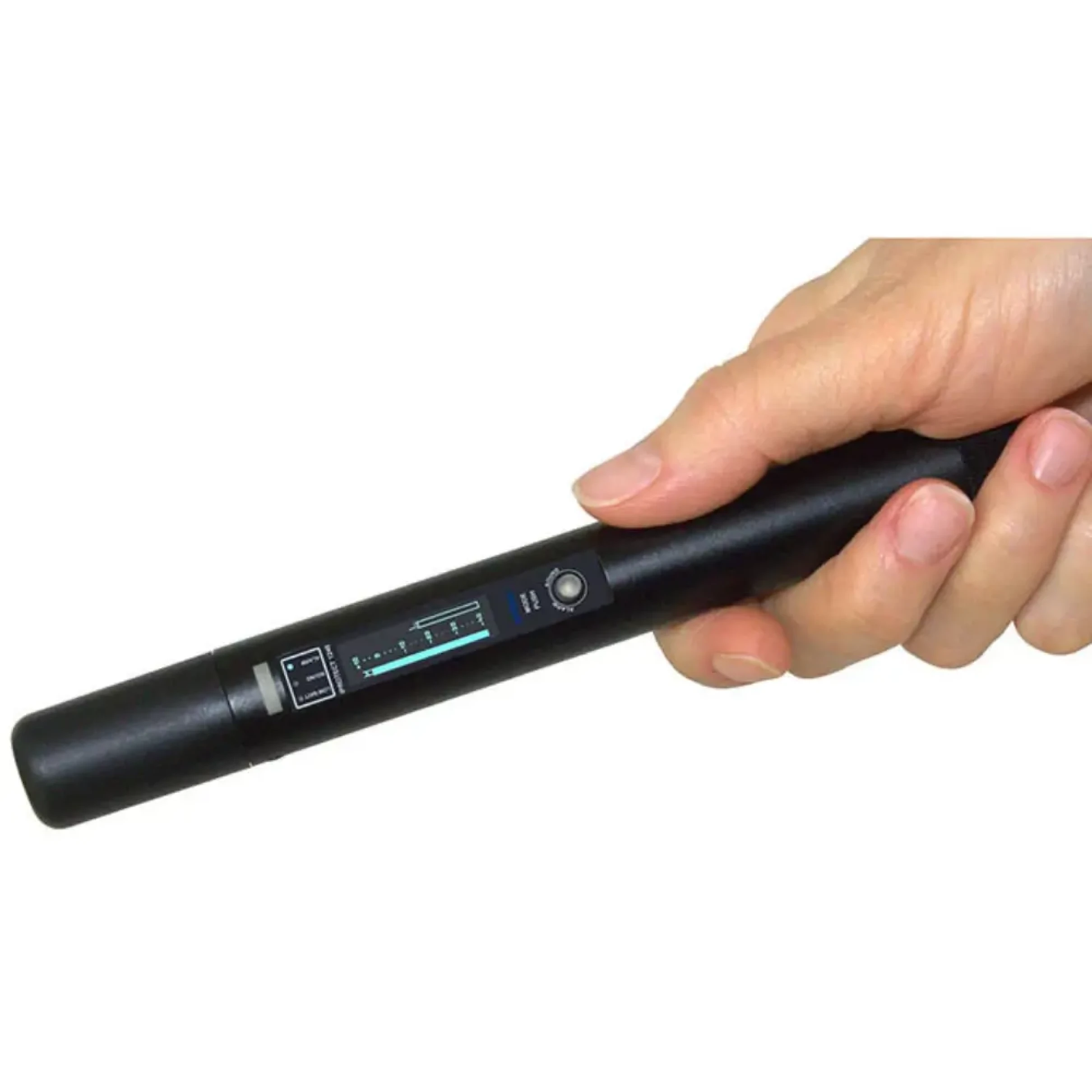
The iProtect 1240 covers 9 to 44 GHz. It targets microwave transmissions, certain 5G millimetre-wave, or mmWave, bands and other high-frequency transmitters. Its integrated antenna is directional, with a stated 30° pattern, to focus the search on an area.
It is most relevant when a kit already has tools for lower frequencies. The manufacturer presents it as a coverage extension: it does not receive signals below 9 GHz. Someone mainly searching for a conventional Wi-Fi camera or cellular transmission below that limit therefore needs another tool.
Different uses of 5G also need to be distinguished. A “5G” label does not mean every communication uses millimetre waves. The 1240’s usefulness depends on the actual frequency being sought, rather than the network’s commercial name.
View the specifications and ordering information: iProtect 1240.
iProtect 1205 New vs iProtect 1240: the useful differences
| Feature | iProtect 1205 New | iProtect 1240 |
|---|---|---|
| Stated range | 50 MHz to 15 GHz | 9 to 44 GHz |
| Integrated antenna | Omnidirectional | Directional, 30° |
| Stated sensitivity | −50 dBm | −40 dBm |
| Display | OLED 128 × 32 | OLED 128 × 32 |
| Modes | SILENT, ALARM, SOUND | SILENT, ALARM, SOUND |
| Scales | Modulation Level M and RF Level L | Modulation Level and RF Level |
| Power supply | One AA / LR06 battery | One AA / LR06 battery |
| Manufacturer’s battery-life figures | 10–15 h active; up to 25 h in standby | 10–20 h |
| Dimensions | 172 × 19 mm | 172 × 19 mm |
| Our selection advice | Initial general RF search | Extend a kit to higher frequencies |
The ranges overlap between 9 and 15 GHz. This explains why the 1240 primarily extends coverage above the 1205 New’s upper limit. Combining them broadens theoretical coverage, but does not guarantee detection of every device.
Comparing sensitivity alone would also be misleading because the frequency bands and antennas differ. These figures do not establish a universal distance at which every microphone or camera will be found.
Understanding indications: radio activity is not proof of spying
An RF detector responds to radio activity. A router, phone or authorised connected device can therefore produce an indication. Before concluding that a covert device is present, compare the result with known equipment and check whether the level behaves consistently as you change position.
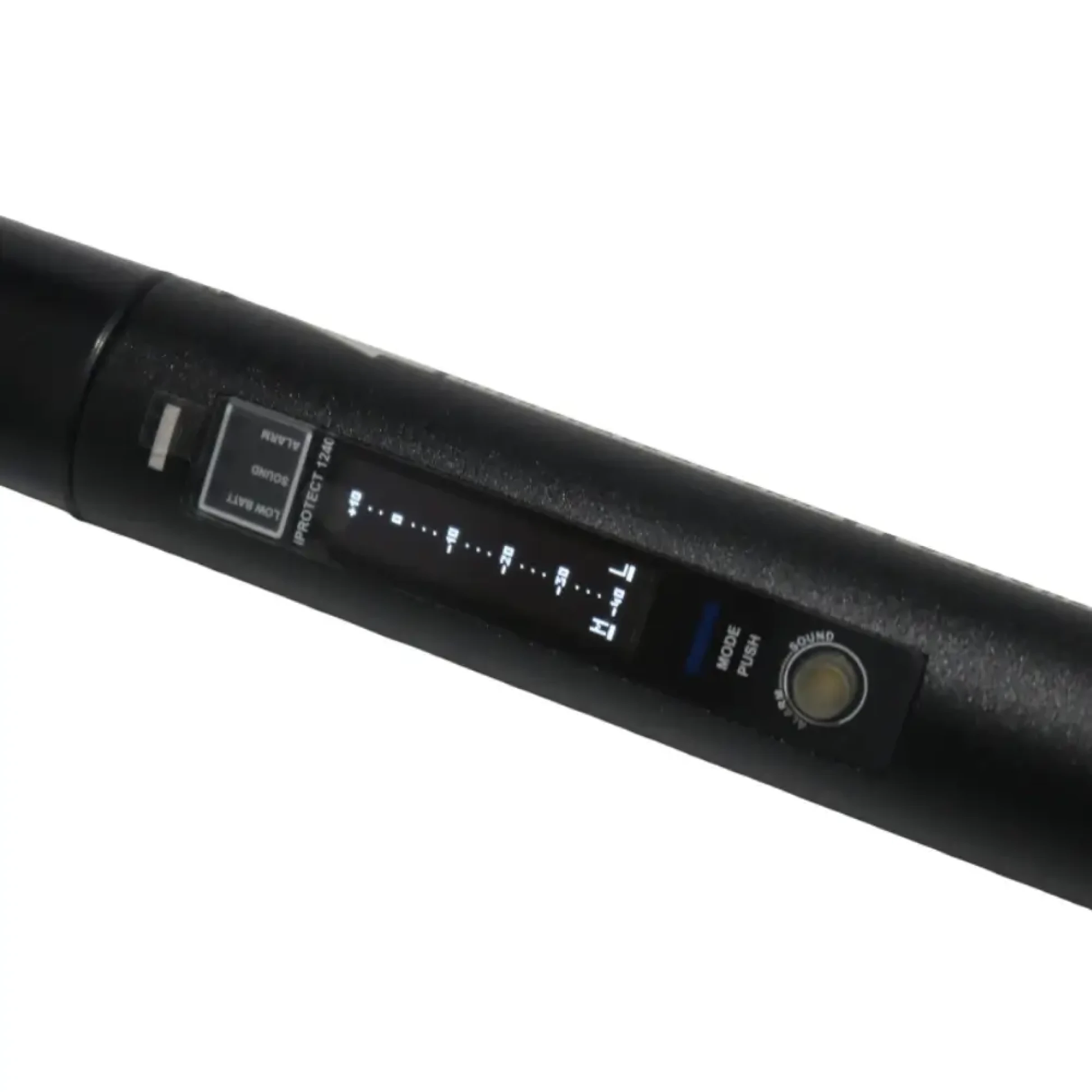
Both models provide visual feedback in SILENT mode, an audible alert in ALARM and reproduction of the amplitude component in SOUND. The latter helps observe radio behaviour; it should not be confused with decrypting a Wi-Fi conversation or phone call.
The level scales support searching and locating a source. To identify an exact frequency or examine the spectrum, a suitable analyser may be needed. Your choice also depends on the desired result: identifying an area, characterising a transmission or documenting a professional survey.
Which DigiScan Labs detector suits your needs?
For a first inspection tool
Start by defining the locations you will inspect and the devices you are looking for. The 1205 New is a general detection option for someone who values a compact tool. Users still need to learn how to compare indications and recognise normal emissions in their surroundings.
To supplement a counter-surveillance kit
The 1240 makes more sense when your existing equipment leaves higher frequencies unchecked. Review your kit’s coverage first: an additional device should address an identified need rather than simply increase the number of models you own.
For a thorough inspection
These detectors search for transmissions. A recorder storing audio locally, a switched-off device or one transmitting only intermittently requires an appropriate method. Physical inspection remains essential; other electronic search technologies may complement the survey where needed.
Explore our signal detectors and RF equipment. Read our JJN Digital WAM and EDD comparison. It explains the difference between searching for a transmission and searching for an electronic circuit.
FAQ: DigiScan Labs iProtect 1205 New and iProtect 1240
Which should I choose to search for a hidden camera?
The choice depends on the camera’s transmission. Establish the likely frequency and the scope of the inspection first. The 1205 New offers the broader initial search; the 1240 is a specialist tool. A camera that does not transmit cannot be identified from RF activity alone.
Does the 1240 replace the 1205 New?
They meet complementary needs. The 1240 focuses on higher frequencies and excludes lower-frequency transmissions that the 1205 New can search for.
Can the detector automatically identify the type of device?
A level indication must be interpreted and confirmed. By itself, it identifies neither the device nor its purpose. Inspecting the indicated area allows verification to continue.
What detection range should I expect from the iProtect 1240?
The manual gives an indicative distance of 30 cm to 3 m, depending on transmitter power and antenna alignment. This is not a guaranteed range for every device or room.
Discover the latest DigiScan Labs products at Europe Connection
Choosing between these DigiScan Labs products comes down to a practical question: do you need a first RF search tool or an extension of your existing coverage? Both can help a search, provided you follow a method and confirm the indications.
iProtect 1205 New · iProtect 1240. The product pages show specifications, displayed prices and ordering information to help you assemble suitable equipment.
Technical sources
Specifications checked on 8 October 2026 in the official product pages and manual linked below. The selection advice is our interpretation of their applications; battery life and detection results vary with operating conditions.



Comments (0)
Post a comment